How to upload resumes and send interviews to candidates?
Last updated: May 15, 2026
You can easily upload resumes and initiate follow-up interviews with candidates using Classet's "Send Interview" feature directly from your dashboard.
Uploading resumes and sending interviews
To upload resumes and send interviews to candidates:
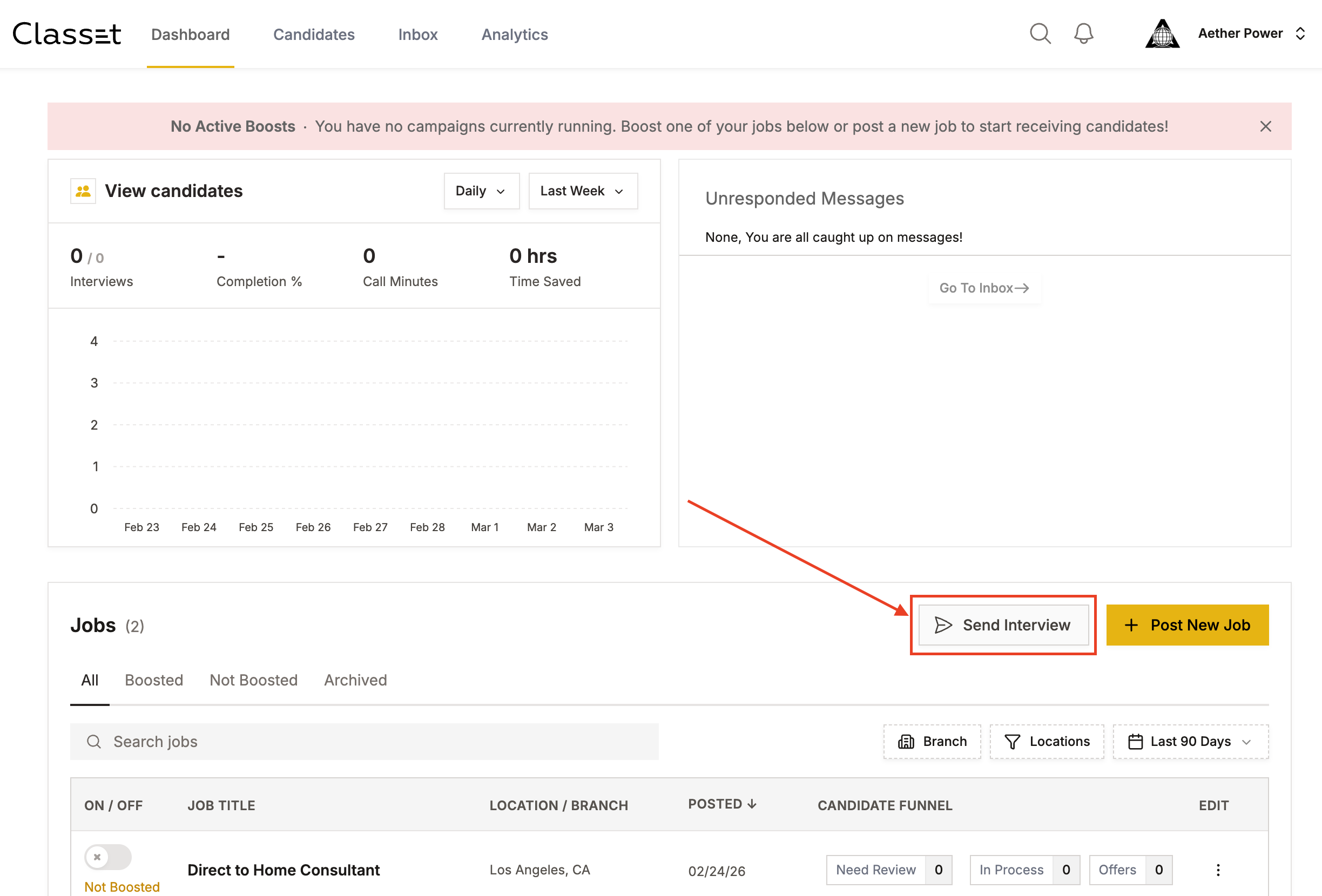
Navigate to your dashboard
Ensure you have a job posting live (this is required before you can send interviews)
Click the "Send Interview" button from the dashboard page
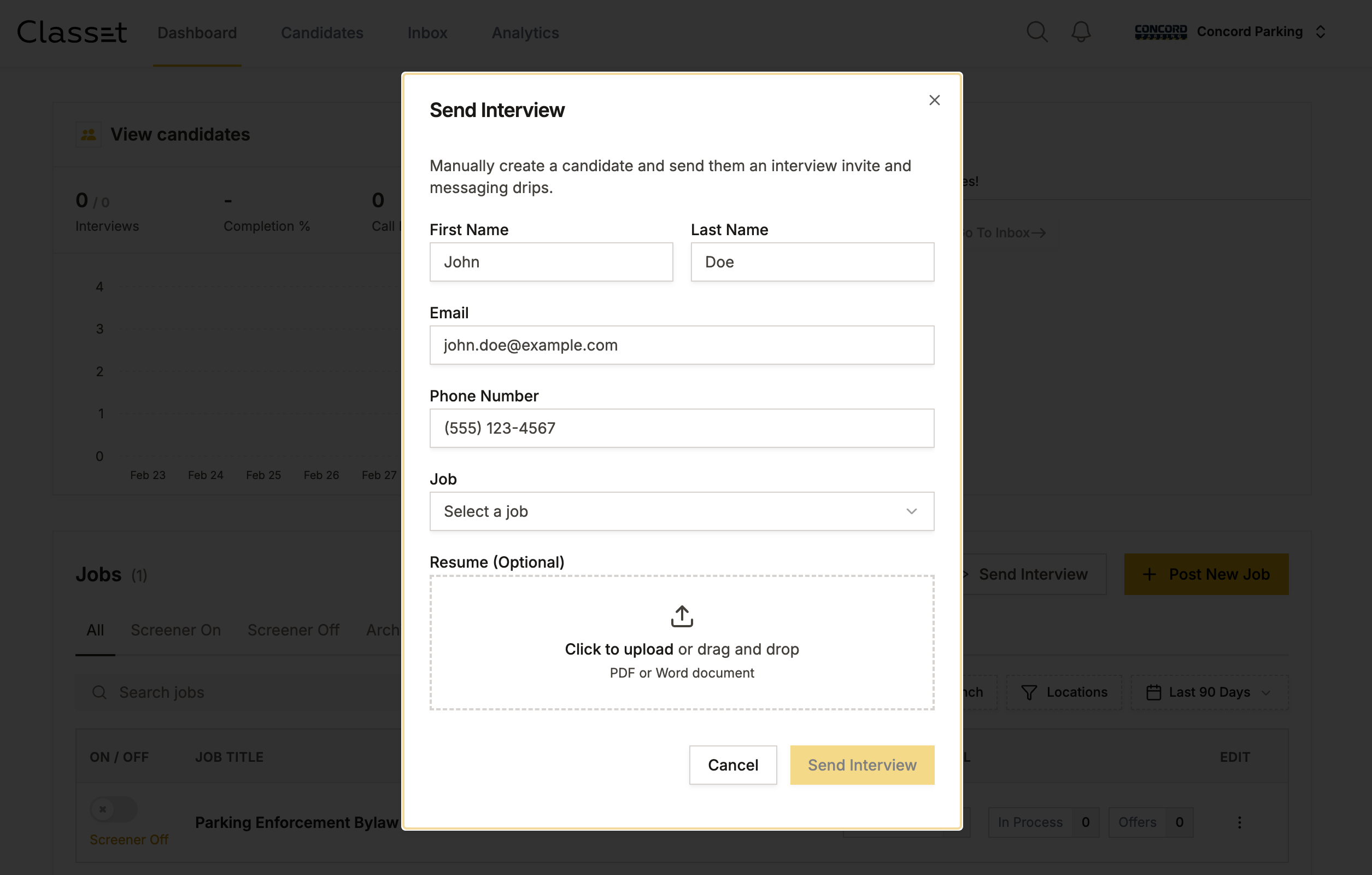
Upload the candidate's resume and initiate the interview process (optional)
Incert candidates information and pick up the Job from the dropdown.
Prerequisites
Before you can send interviews to candidates, you'll need to have at least one job posting live on your dashboard. If you haven't created a job posting yet, use the "Post New Job" button to set one up first.
This feature allows you to quickly engage with candidates who have submitted resumes and streamline your hiring process efficiently.
Have more questions? Contact success@classet.ai