How to use Classet to post on LinkedIn
Overview
This guide explains how to integrate a LinkedIn job posting with Classet's AI screening platform to automatically route candidates to instant interviews.
Prerequisites
Before posting on LinkedIn, ensure your job is configured in Classet with:
- Basic job details populated
- An interview script added
- Subscribers designated
Step-by-Step Instructions
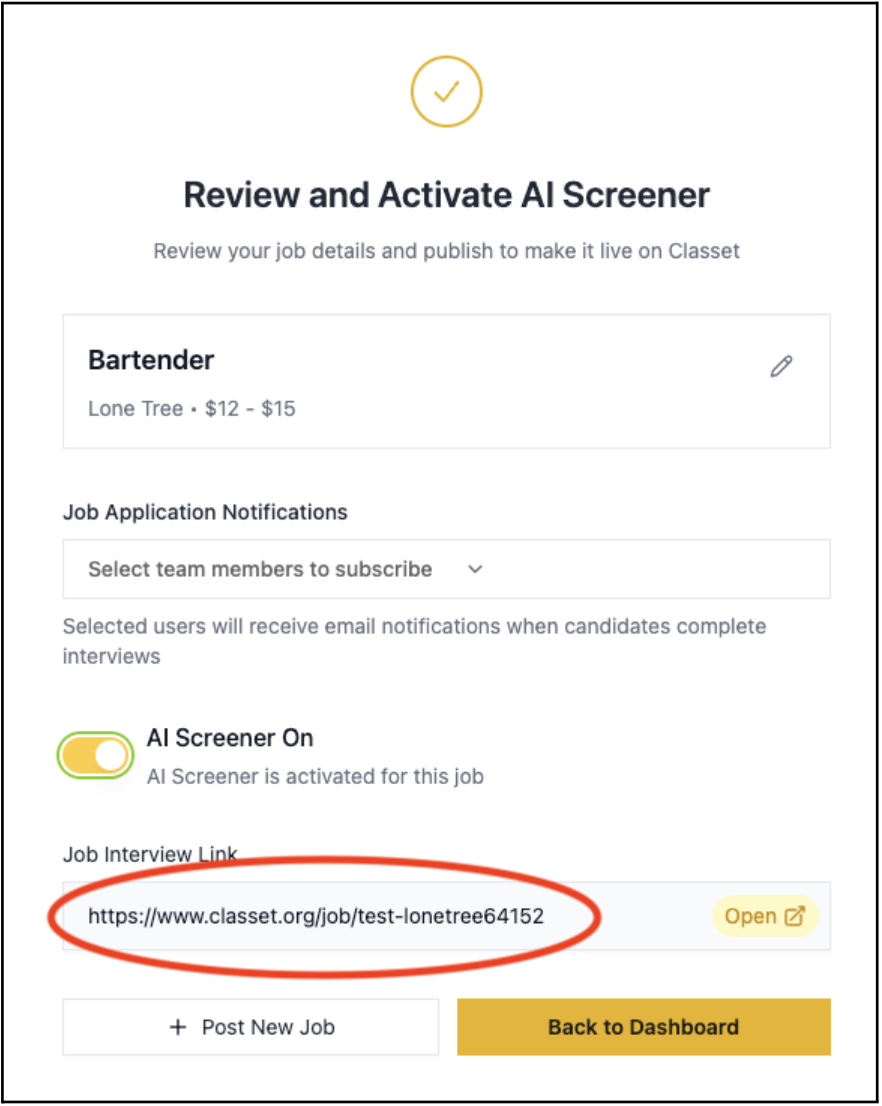
1. Activate the Job and Retrieve the Interview Link
Access the Activation Page in your Classet Dashboard and copy the Job Interview Link provided there.
2. Configure LinkedIn Job Posting
- Navigate to the Jobs tab in your LinkedIn Recruiter homepage
- Find the job you wish to modify and select "Edit"
- Under "How would you like people to apply?", choose "Direct applicants to an external site to apply"
- Paste the External Link from your Classet job activation page into the designated field
- Save your changes
Result
Once configured, candidates viewing the job on LinkedIn will automatically be directed to the instant interview page on Classet.
For additional support, contact success@classet.ai