Sponsor a Job on Indeed (Apply Marketing Budget)
Sponsoring a job provides enhanced visibility through priority placement in Indeed searches, allowing you to reach candidates more quickly. The platform lets you establish a budget and timeline, with Indeed using historical data to project potential applicant numbers before any spending occurs.
Steps
1. Open the job menu. Navigate to the Dashboard, locate your target job, and click the three-dot menu. Select "Sponsor on Indeed."
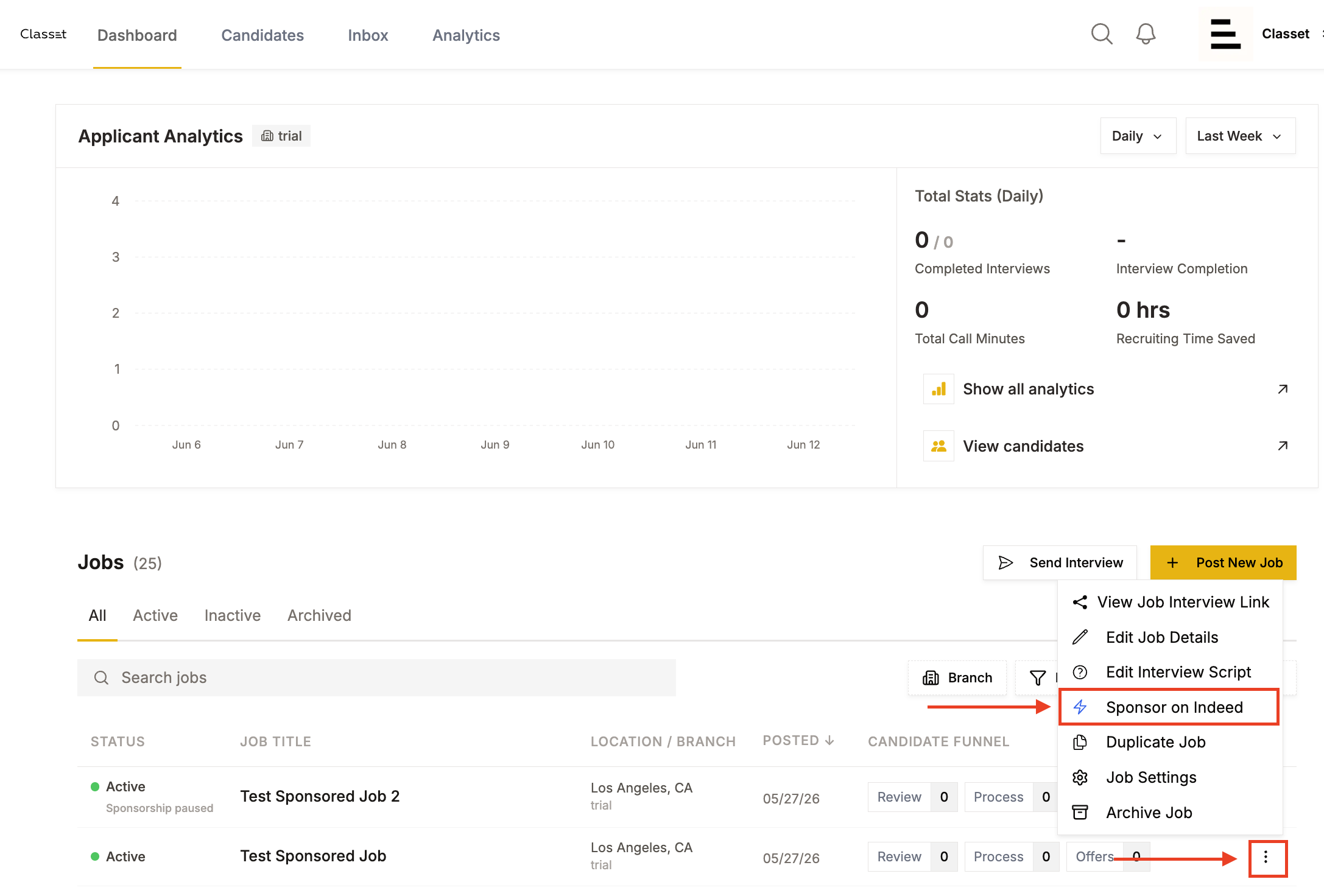
2. Set your campaign budget and dates. Within the Sponsored Jobs modal:
- Choose between "One-Time" (fixed campaign) or "Monthly" (recurring)
- Establish an end date
- Select your end type—Fixed stops on the specified date regardless of spending
- Input your total budget in USD
The daily spend estimate adjusts automatically (for example, $250 across 30 days equals approximately $8.33 daily).
Note: You can pause, resume, or adjust the budget at any time from Job Settings → Job Marketing. Performance metrics refresh from Indeed within 24–48 hours.
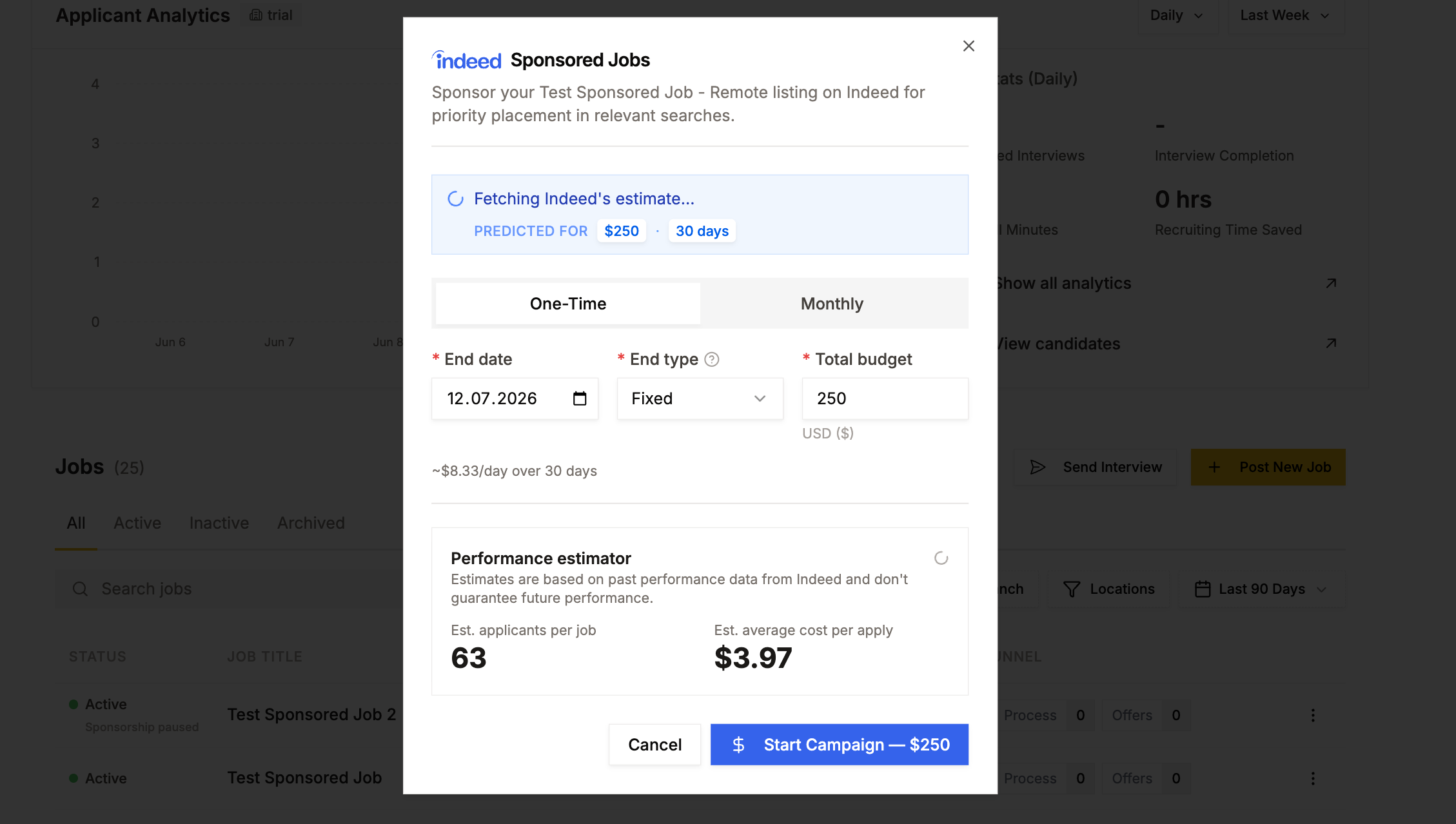
3. Review the performance estimate. Check the Performance estimator before confirming, which displays:
- Projected applicants based on Indeed's historical performance data
- Estimated average cost per application
These figures represent projections, not guarantees.
4. Start the campaign. Click "Start Campaign" with your specified amount to activate. Your job begins appearing as a sponsored listing immediately.
For additional assistance, contact success@classet.ai
Before you sponsor: two things to verify
Applies to Classet ATS accounts. If Classet is integrated with your own ATS instead, your posting and sponsorship run through that system.
Sponsorship runs through your own Indeed account, so both of these need to be true first:
- Your Indeed account is connected to Classet. If it isn't, see "Connect Your Indeed Account" — sponsorship options won't work without it.
- Billing is set up on your Indeed account. Indeed charges your sponsorship budget directly, so a payment method needs to exist on the Indeed side.
If sponsorship options look missing or grayed out in your job settings, one of these two is almost always the reason.