How do I post a Job?
Last updated: November 4, 2025
Import a Job from your ATS in the Classet Dashboard
Start at the Home page
You will find a yellow button: ‘+ Post New Job’
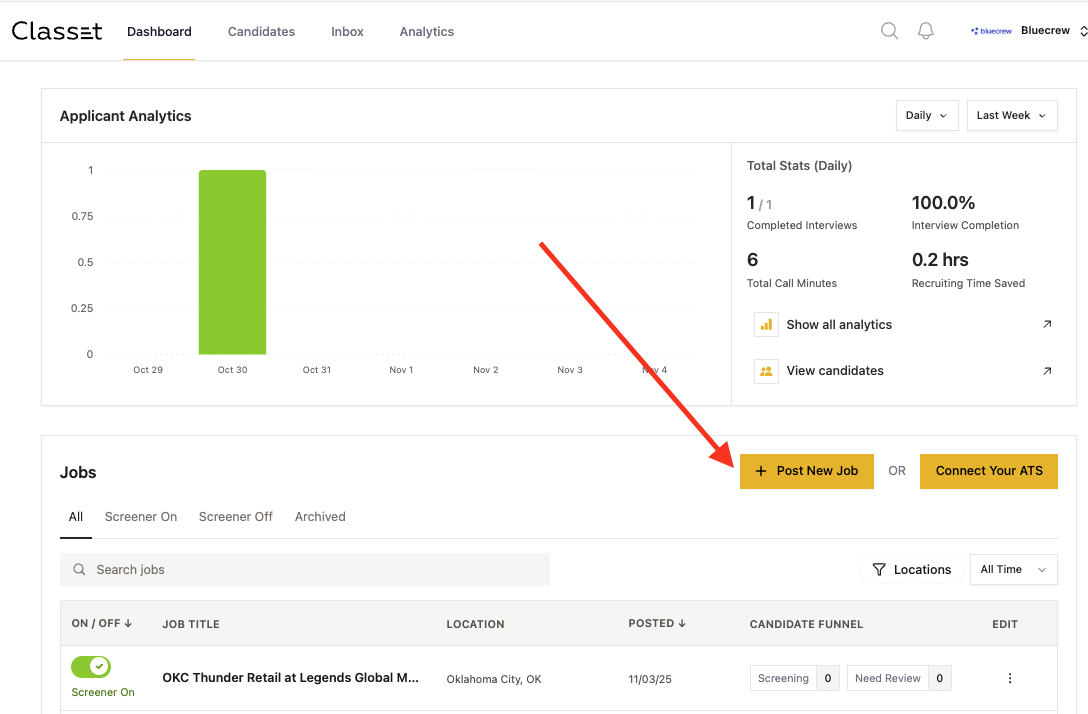
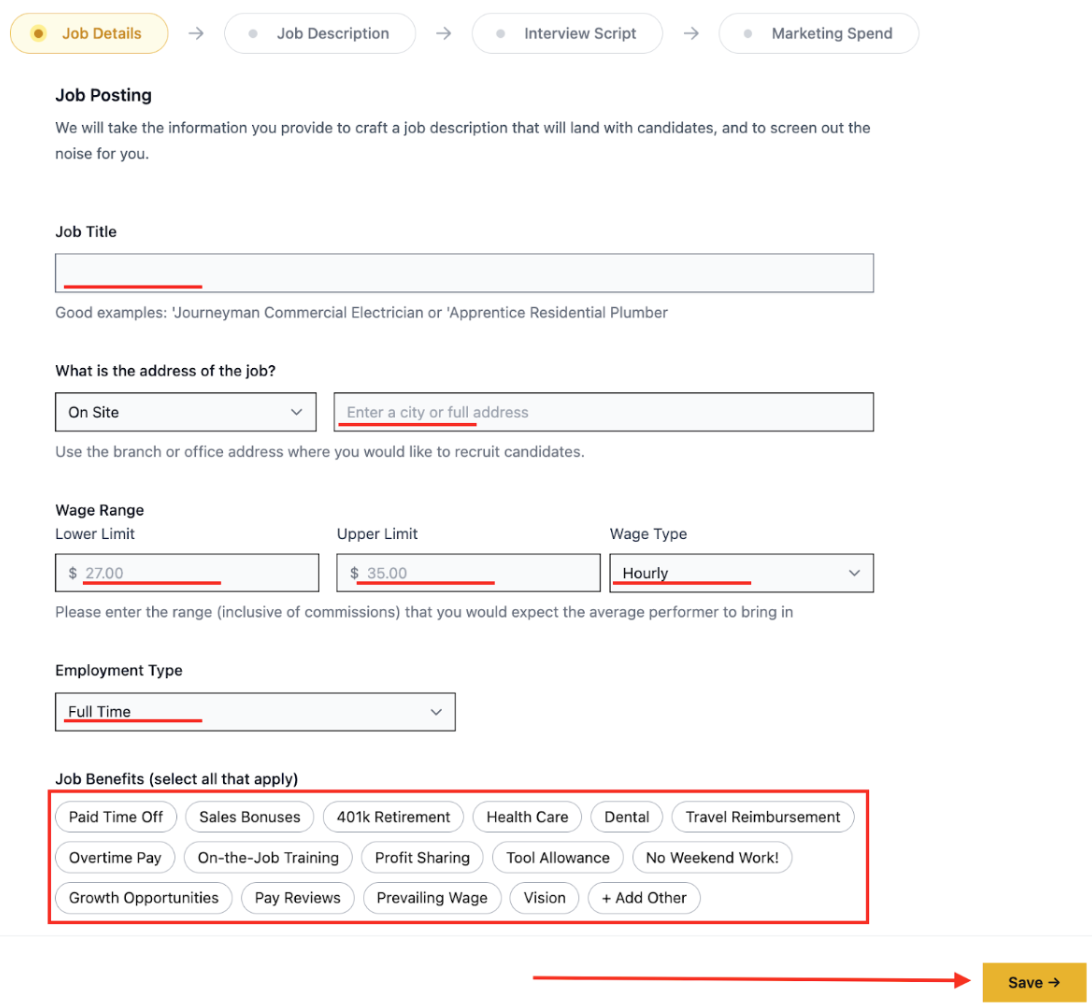
First, fill out the basic information about the job. All fields on this screen are required. You can also select benefits from the list.
Once you’re finished, click ‘Save’ to proceed to the next step.
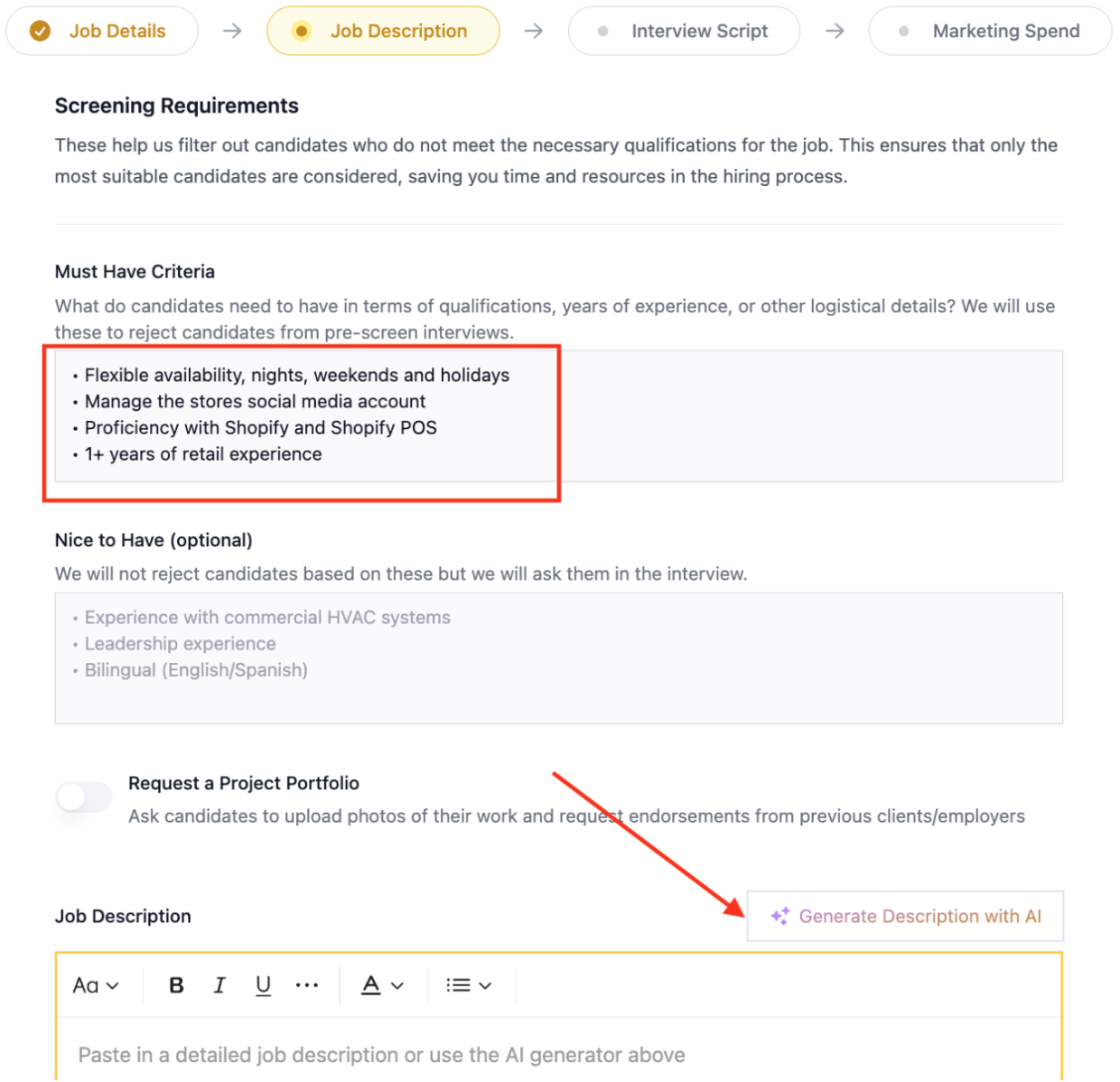
List your must-have criteria for candidates as bullet points
NOTE: This is an essential step as these points will be listed as qualifying questions when candidates apply.
Paste a job description in the area below, or if you don’t have one, save time and click ‘Generate Description with AI’. AI will turn the information you’ve already provided into a job description.
Once finished, click ‘Save’ to proceed to the next step.
Customize the interview script
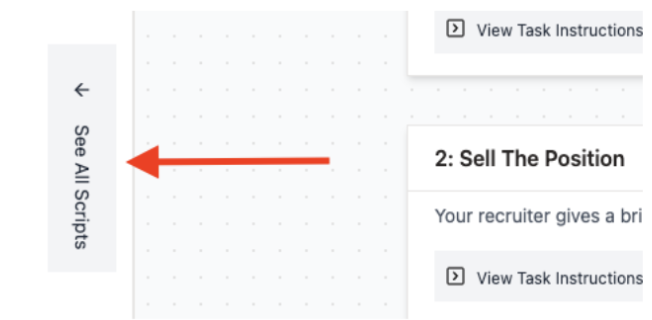
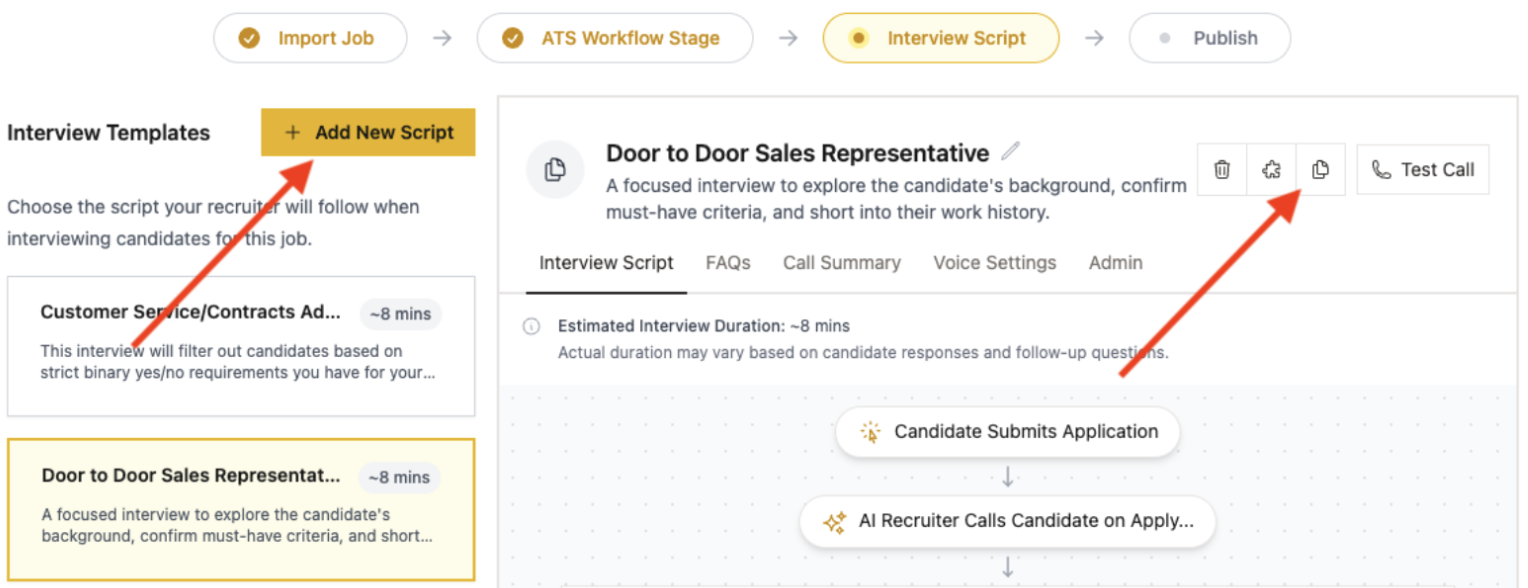
You can find a library of existing scripts on your left-hand side
Duplicate the existing script or create a new one
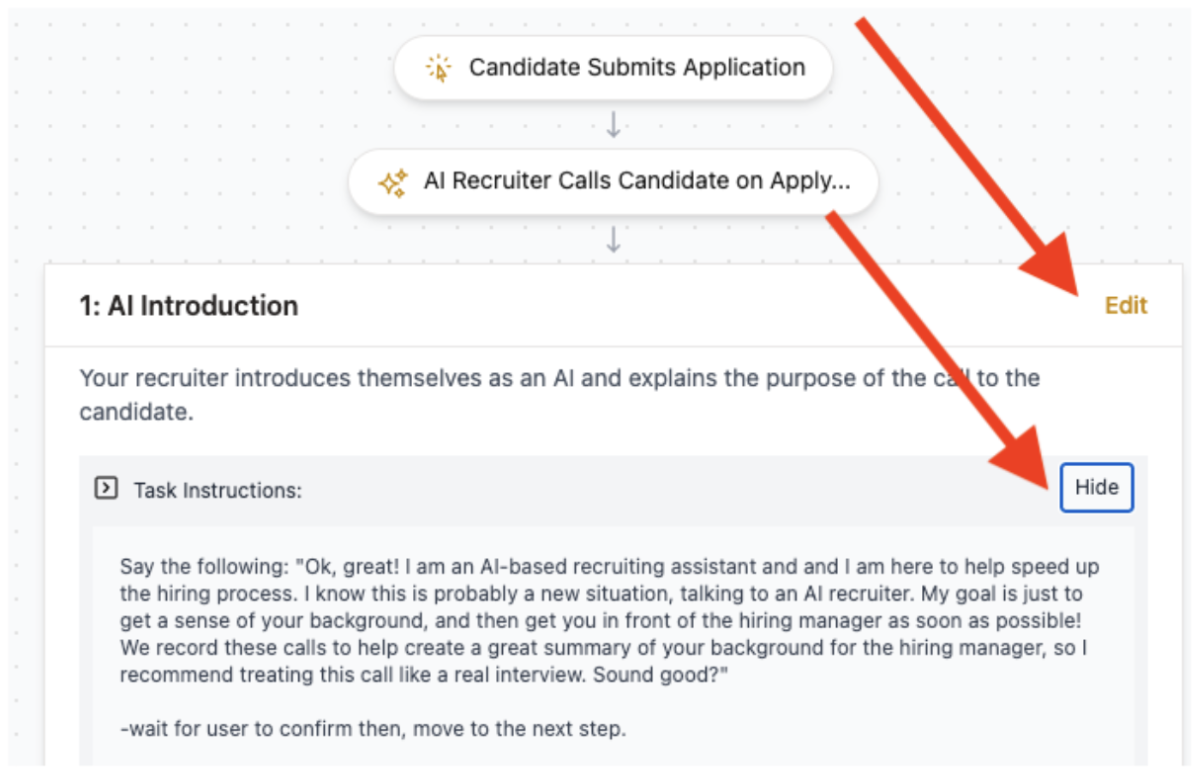
You can view and customize the instructions for every step of the script. Click ‘Edit’ to start customization
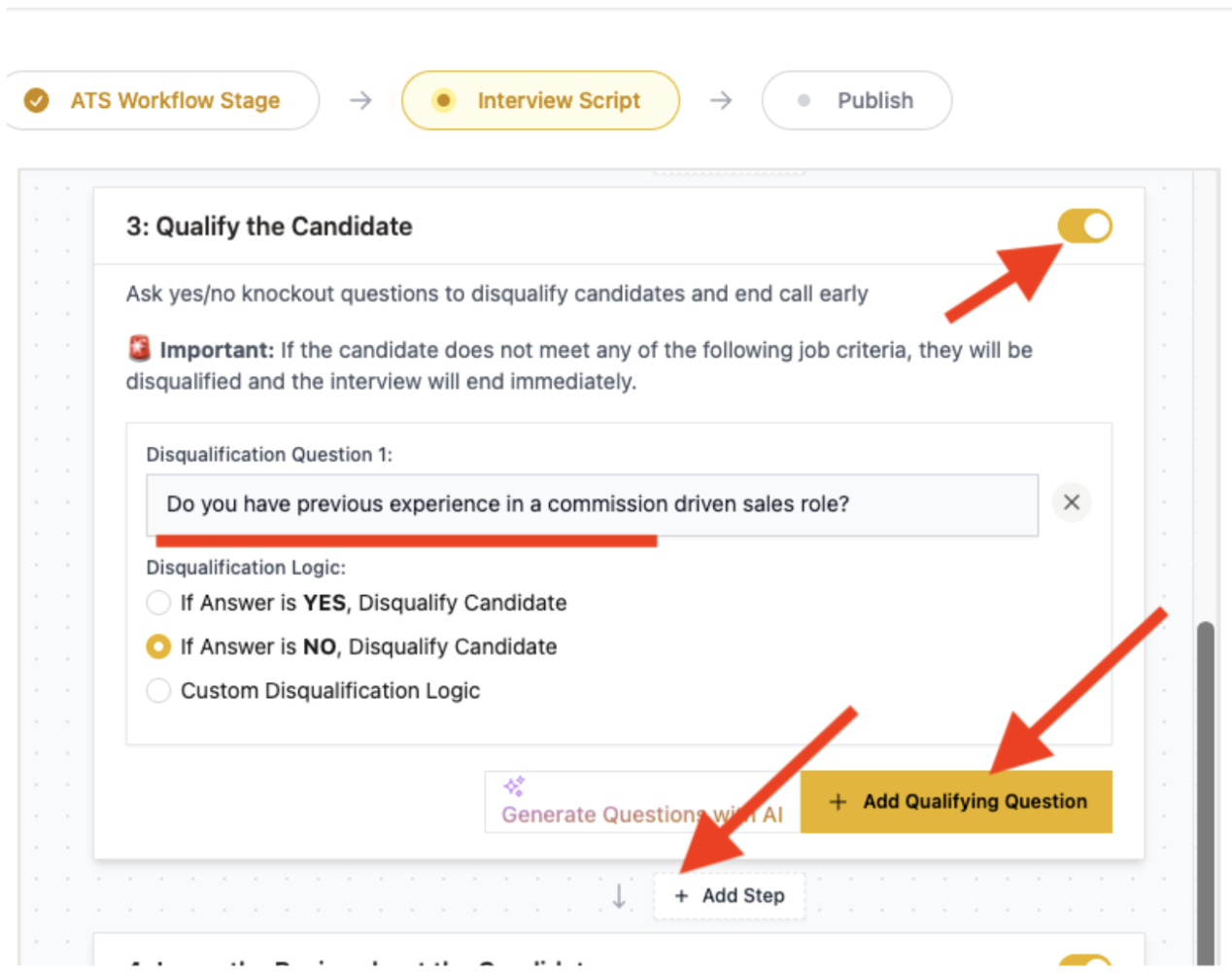
Add additional steps if applicable (e.g., Qualify the Candidate)
Switch off stages that you don’t need
Add as many questions as you want
NOTE: Try to make the wording of the questions sound natural in a real verbal conversation. Read the question out loud to check how it sounds to you.
NOTE: Break complex questions into several separate questions to give the candidate space to address each one of them.
NOTE: For the qualifying section, use questions with clear objective criteria for screening.
Don’t forget to click ‘Save changes’ as you make progress with this customization.
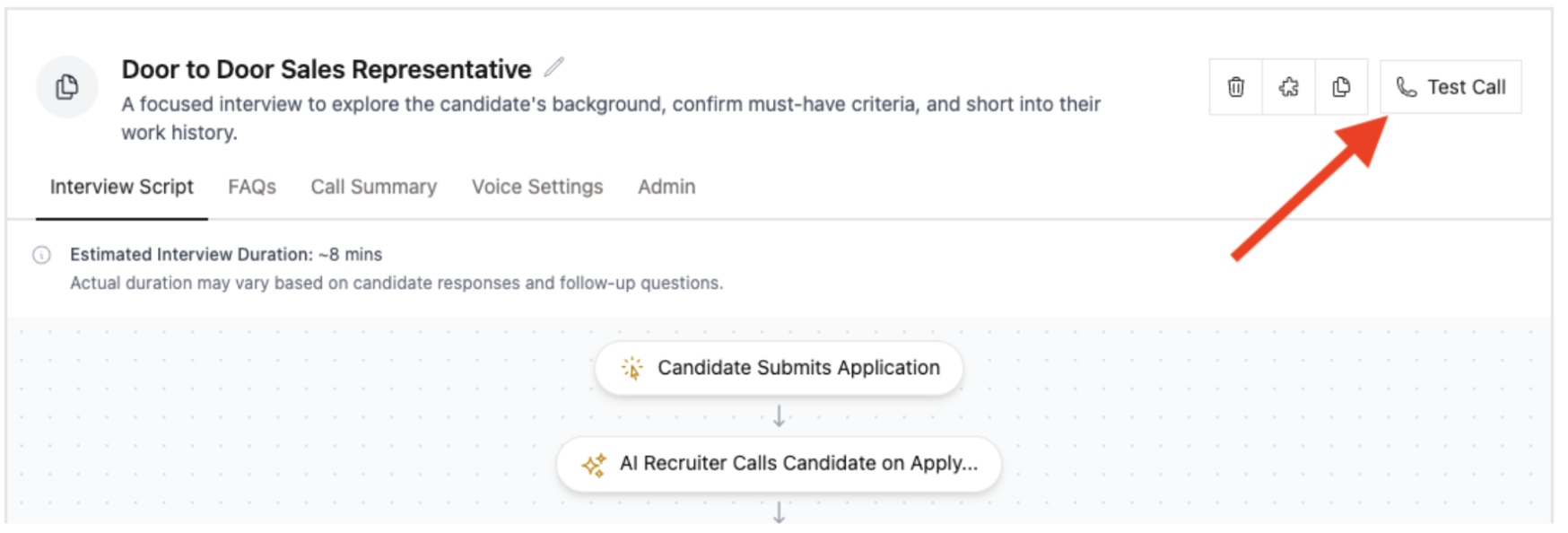
You can run a test call right from this page. Find the button in the top right corner:
Build a Summary structure
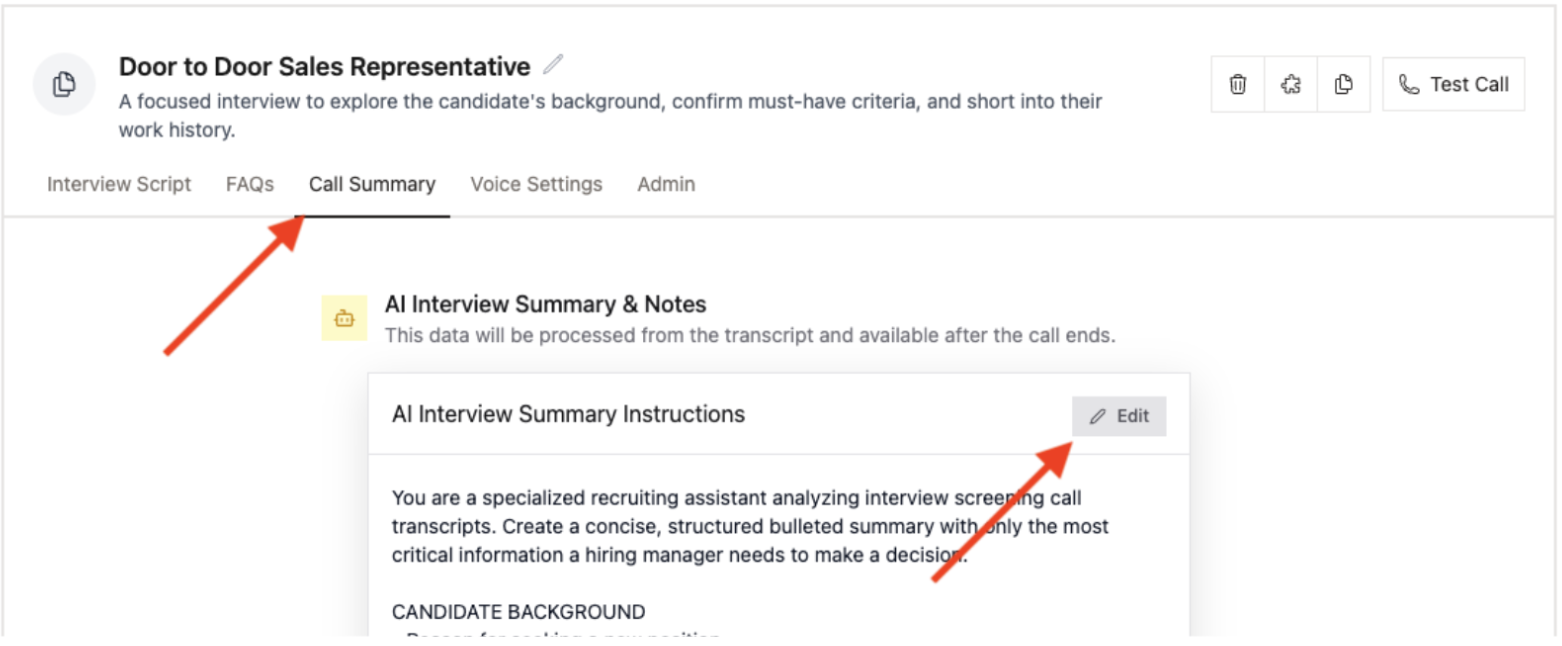
Navigate to the ‘Call Summary’ tab and click ‘Edit’
NOTE: Give Joy the instructions on content and form just as you would create prompts for ChatGPT.
NOTE: The goal here is that summaries should be enough in ~90% of cases. Recruiters shouldn’t go through the full script or listen to the whole conversation for each candidate.
Optional settings for interviews
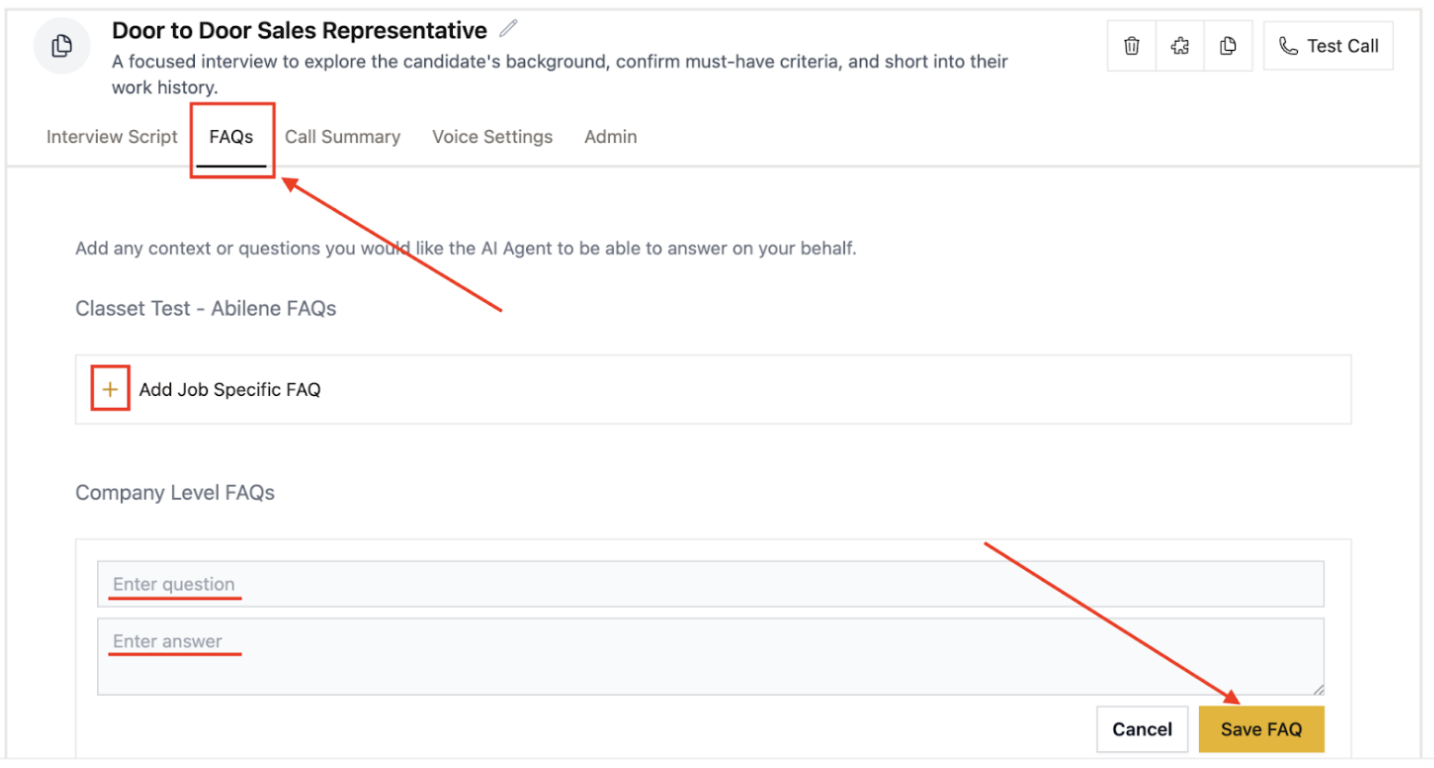
Enhance Joy's ability to answer candidate questions by building an FAQ library, accessible through the interview script setup. This library can include two types of questions:
Job-Specific: Questions related to the particular role, such as team size, working shifts, or career advancement opportunities.
Company-Wide: General information about your organization, including mission, values, company policies, and standard benefits.
Start the AI Screening
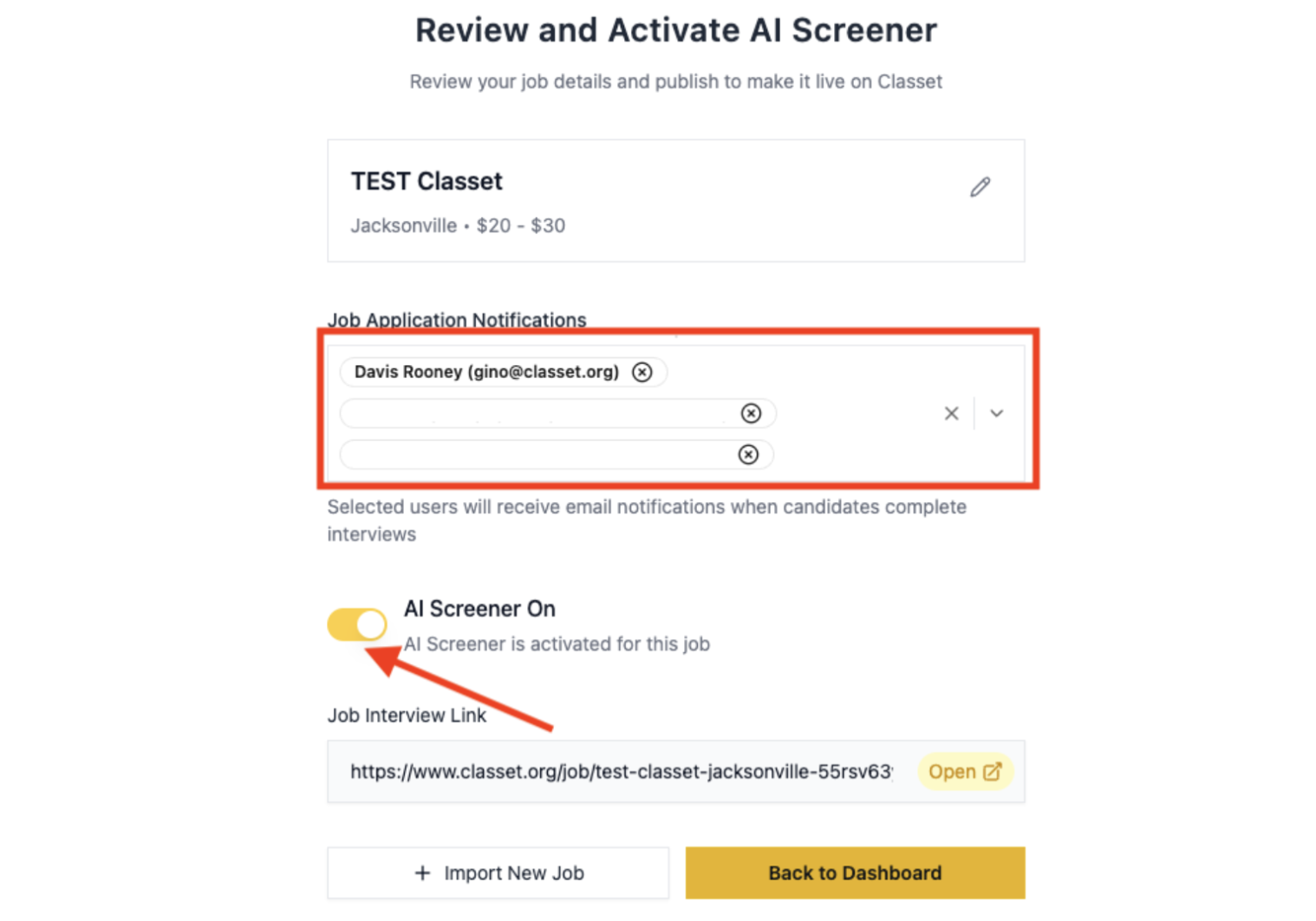
Add your colleagues who should receive email notifications when a new candidate completes the interview.
Switch ‘AI Screener On’ toggle, and Joy will start her magic.
Have more questions? Contact success@classet.ai