What Changed on My Jobs Dashboard?
Last updated: April 15, 2026
We simplified the Jobs dashboard so it works the same way for everyone, whether you're running job marketing through Classet or importing positions from your ATS.
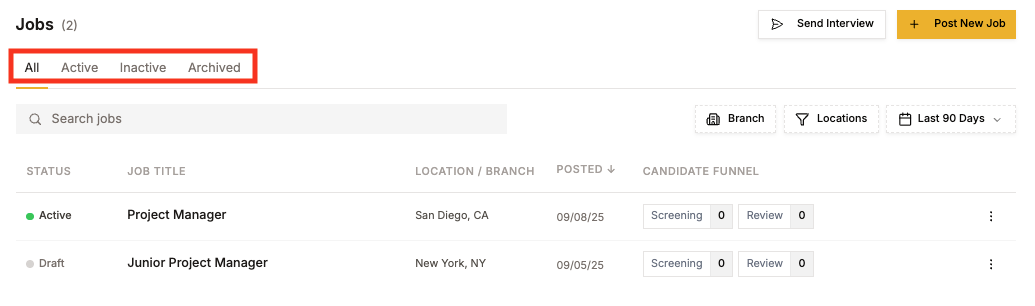
New Tabs
The tabs at the top are now All, Active, Draft, and Archived. These replace the old setup, which varied depending on your account type (Boosted/Not Boosted, Screener On/Off, etc.).
The new tabs map directly to job state, so what you see is consistent and predictable.
Status Badges
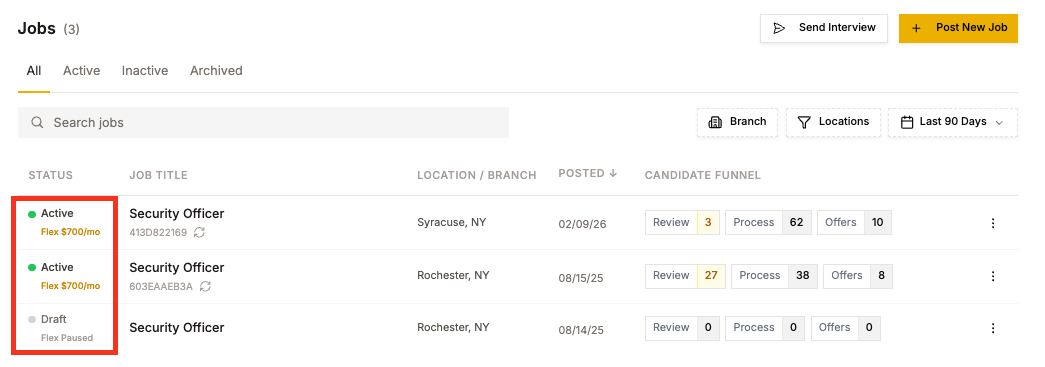
Each job now shows a status badge instead of a toggle switch. You'll see one of the following: Active (green dot), Draft (gray), Inactive or Screener Off (amber), or Archived.
If you use Classet's job marketing, you'll also see a separate Marketing badge showing your current plan (for example, "Flex $190/wk" or "Flex Paused").
How to Change a Job's Status
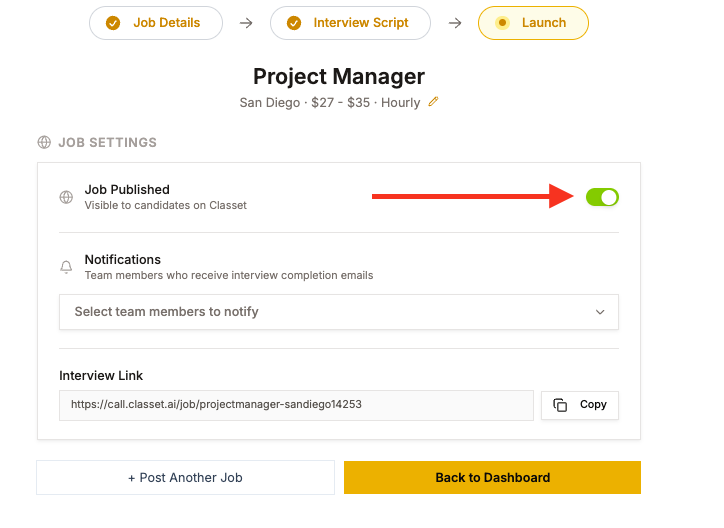
The toggle column is gone. If you need to publish, unpublish, pause marketing, or turn the screener on or off, go into the job's edit flow and make changes from the Launch step.
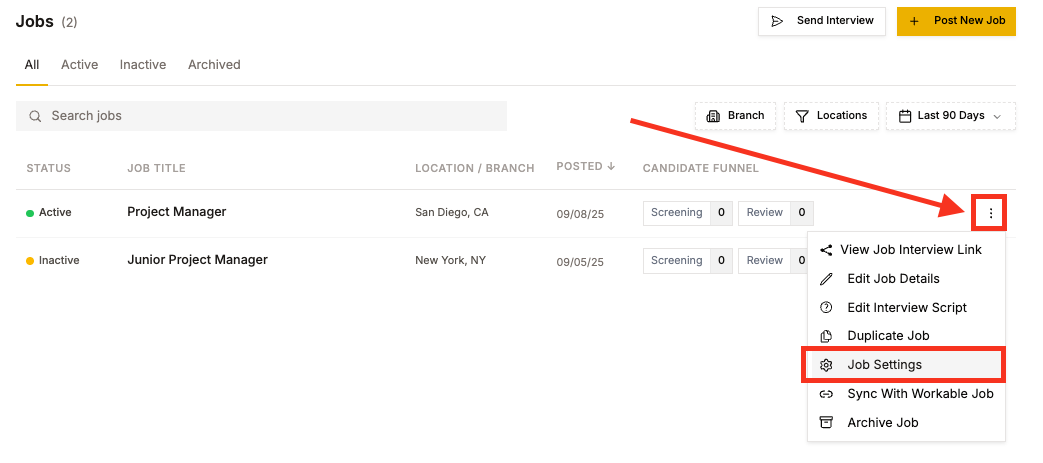
The dashboard is now a status surface for quick review. Edits happen in the job itself.
Have more questions? Contact success@classet.ai