Full Step-by-Step Guide on Creating a Script
Last updated: May 6, 2026
When you post or import a new job position in Classet, you will need to apply a screening interview script. Imagine Joy is a new recruiter on your team, and you give her instructions on how to screen candidates. You set this up once, and Joy will follow your instructions exactly from now on. We want to help you create an A+ interview process.
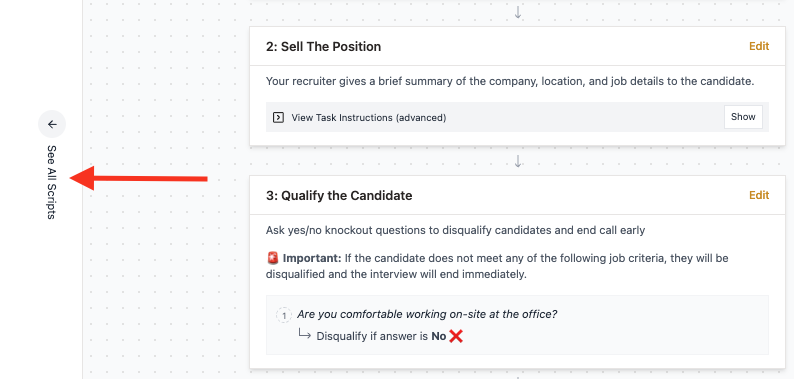
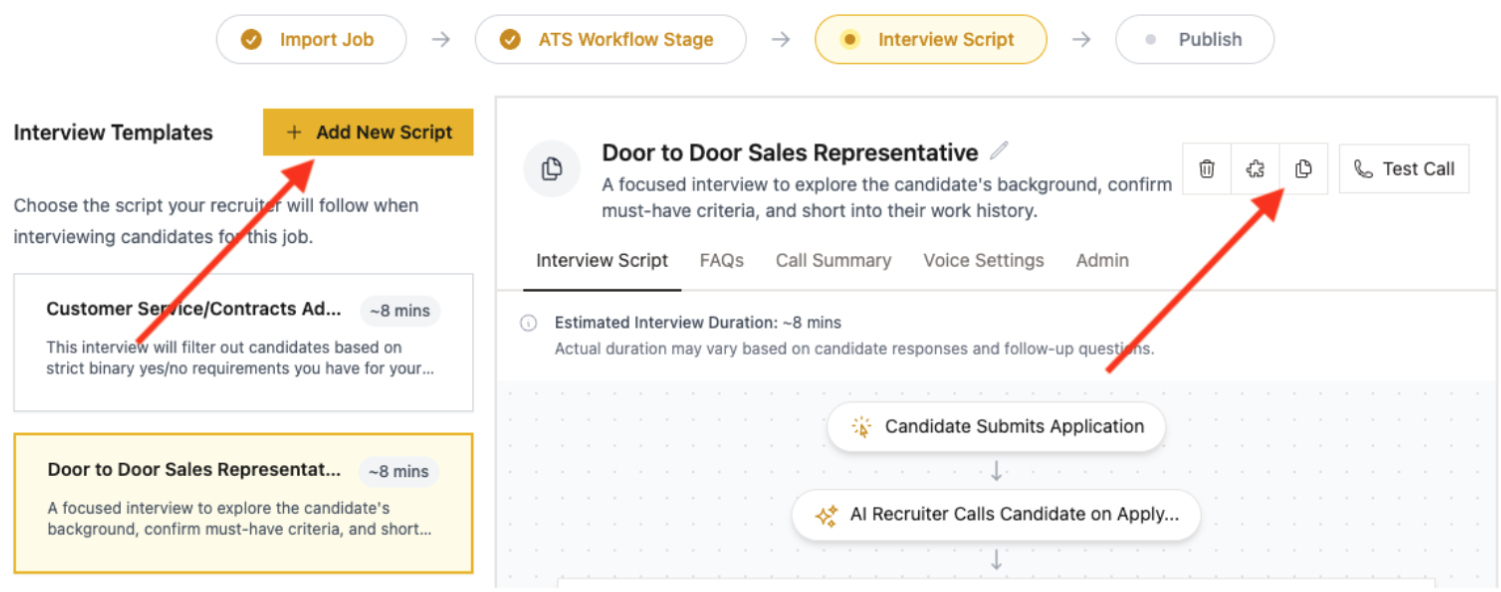
You can find a library of existing scripts on your left-hand side
Duplicate the existing script or create a new one
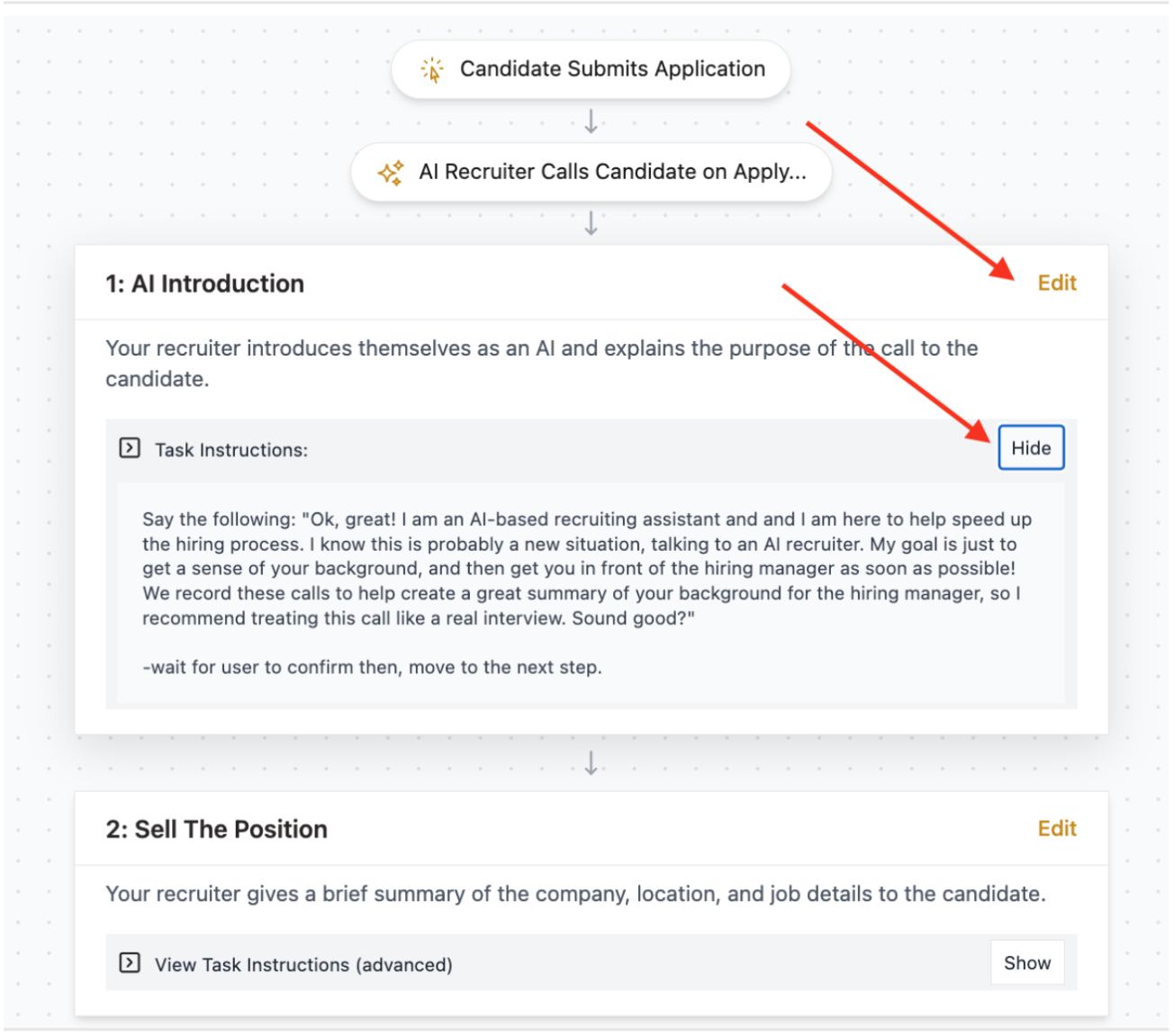
You can view and customise the instructions of every step of the script. Click ‘Edit’ to start customisation
Add additional steps if applicable (e.g., Qualify the Candidate)
Switch off stages that you don’t need
Add as many questions as you want
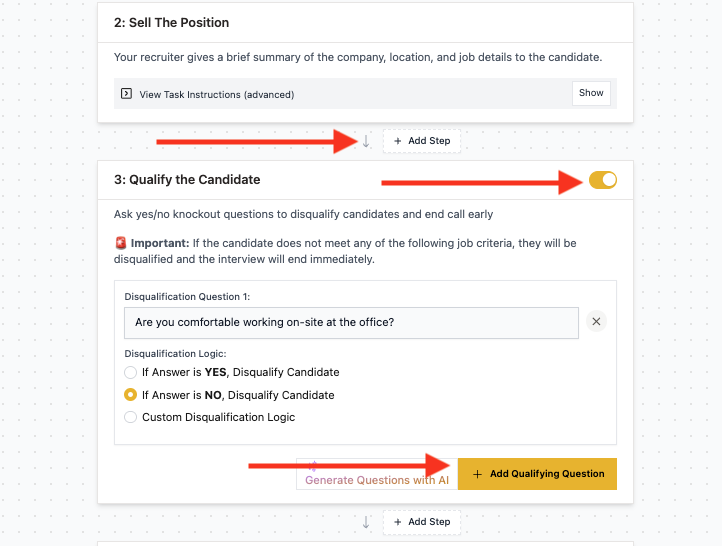
Don’t forget to click ‘Save changes’ as you make progress with this customization.

NOTE: Try to make the wording of the questions sound natural in a real verbal conversation. Read the question out loud to check how it sounds to you.
NOTE: Break complex questions into several separate questions to give the candidate space to address each one of them.
NOTE: For the qualifying section, use questions with clear objective criteria for screening.
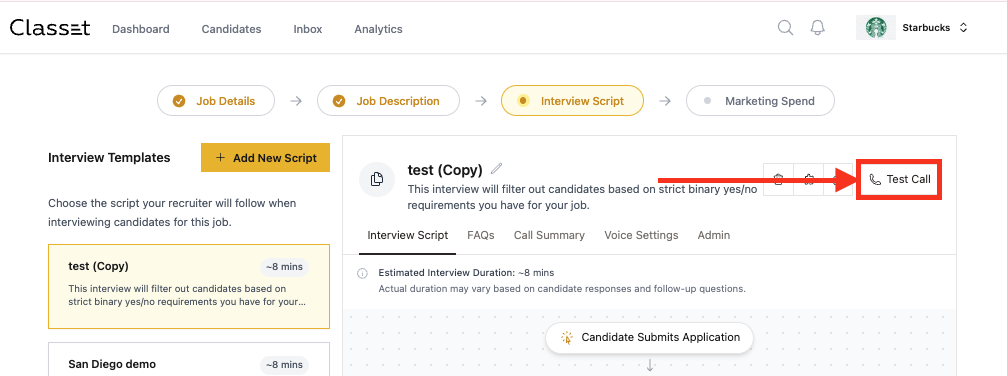
You can run a test call right from this page. Find the button in the top right corner:
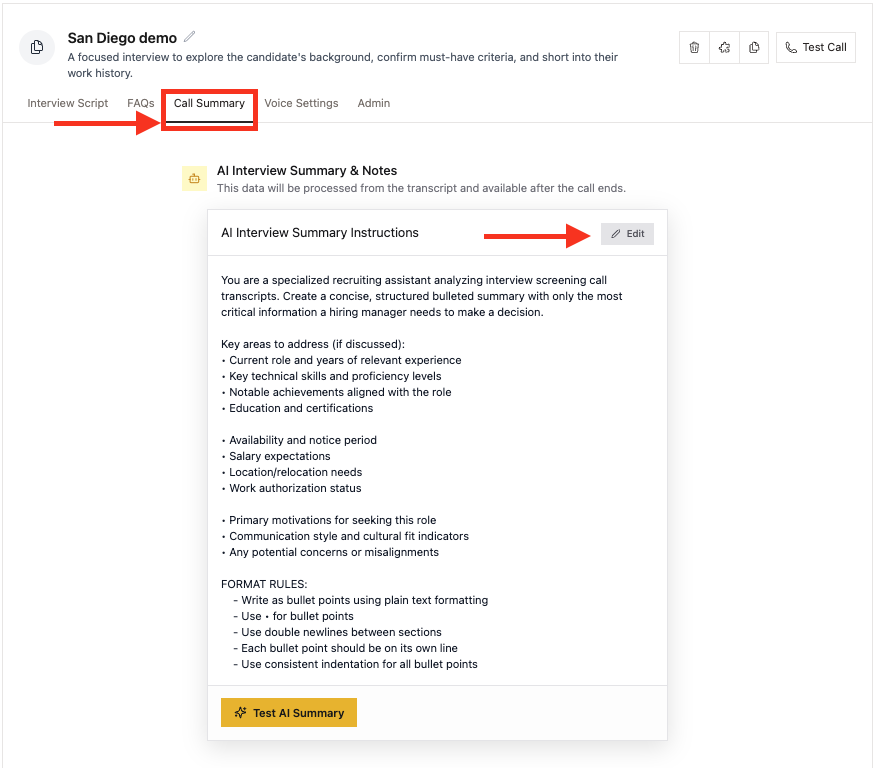
To build a summary structure, navigate to the ‘Call Summary’ tab and click ‘Edit’.
We offer two default templates: a paragraph summary and a bullet-point structure. Please select one of them and edit the instructions as needed.
NOTE: Give Joy the instructions on content and form just as you would create prompts for ChatGPT.
NOTE: The goal here is that summaries should be enough in ~90% of cases. Recruiters shouldn’t go through the full script or listen to the whole conversation for each candidate.