Customizing Joy's Outreach Messages to Candidates
Overview
The custom campaign builder enables full customization of text messages and emails for candidate engagement. You can modify message content, timing, and the number of follow-up reminders to extend your recruiting process flexibly.
What You Can Customize
Previously, only the initial message was customizable while candidates received four automatic follow-ups. The new campaign builder now offers complete control over:
- Message copy – Edit text of each message sent to candidates
- Timing – Adjust delay between messages (e.g., send first follow-up after 24 hours)
- Number of reminders – Choose how many follow-up messages to send (disable any messages you don't need)
Step-by-Step Instructions
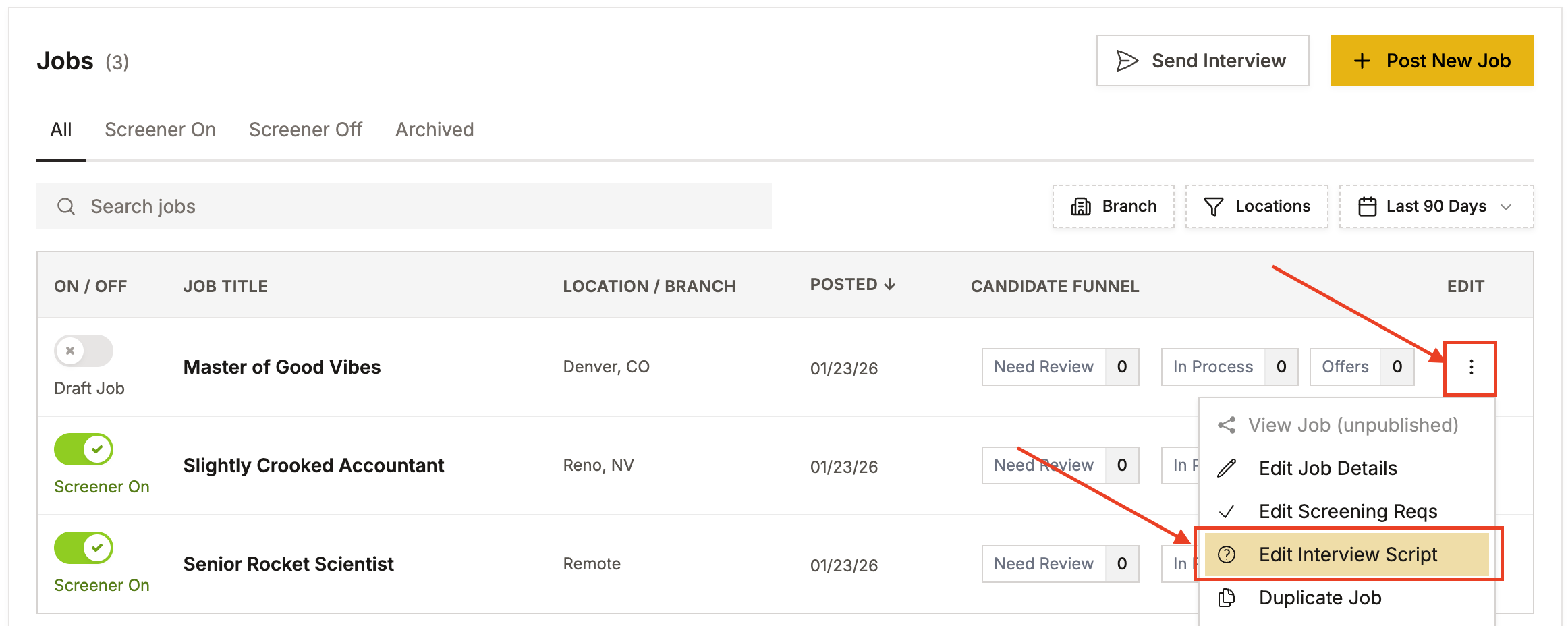
1. Navigate to Your Position
- Go to the position you want to customize messages for
- Click Edit Interview Script
2. Access the Messages Tab
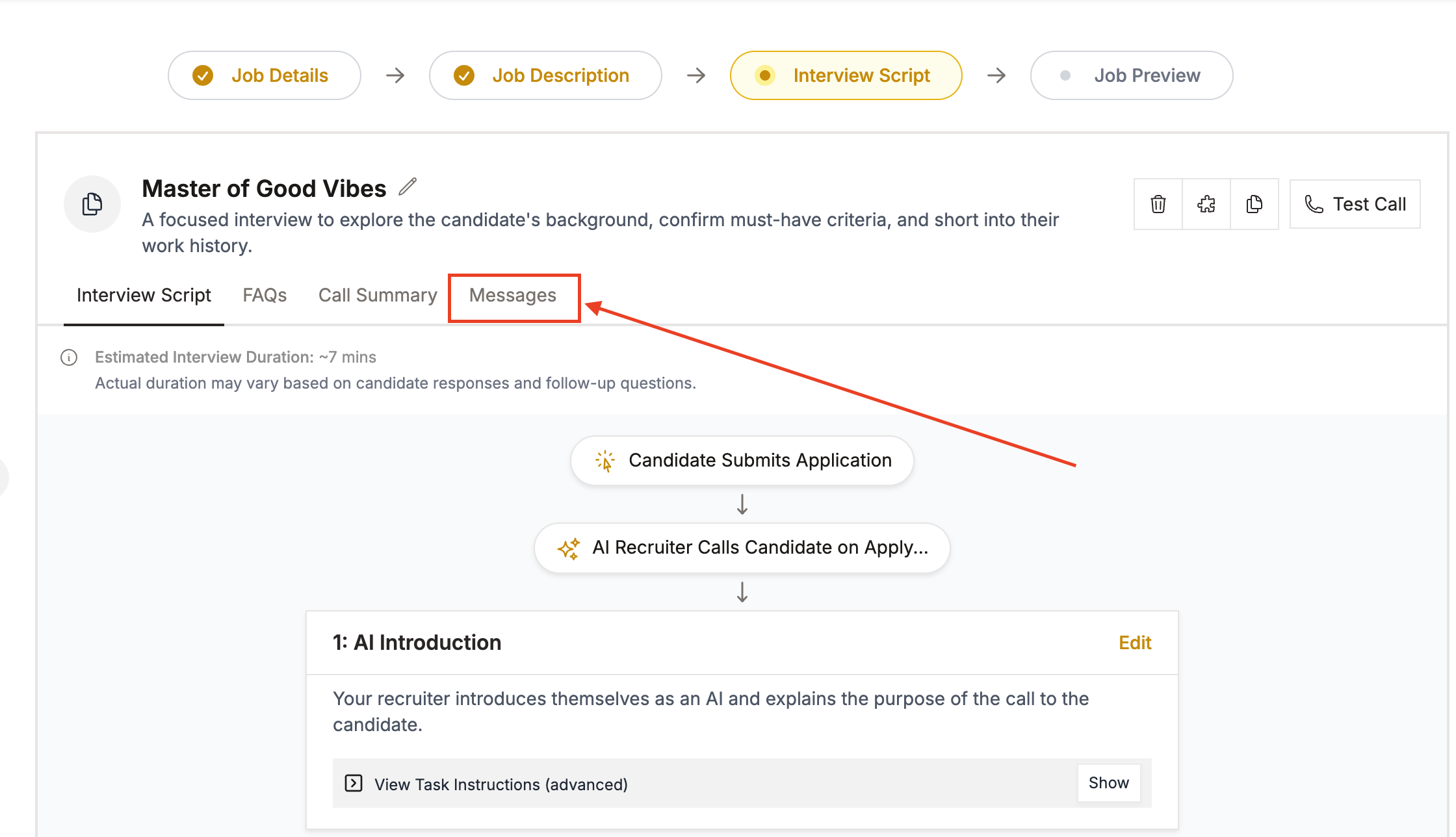
- When the page loads, click on the Messages tab
3. Create a Custom Campaign
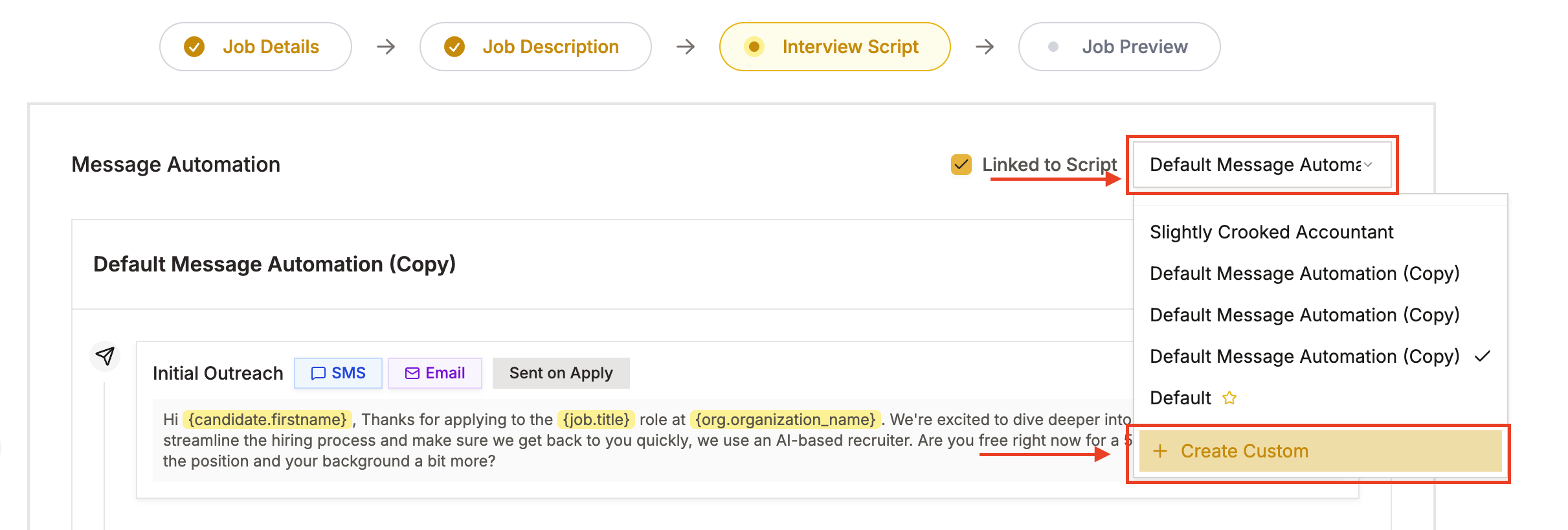
- Click Create Custom in the top right corner
- Add a name for your messaging cadence (e.g., "New Hire Follow-Up Campaign")
- Optionally add a description for reference
4. Customize Your Messages
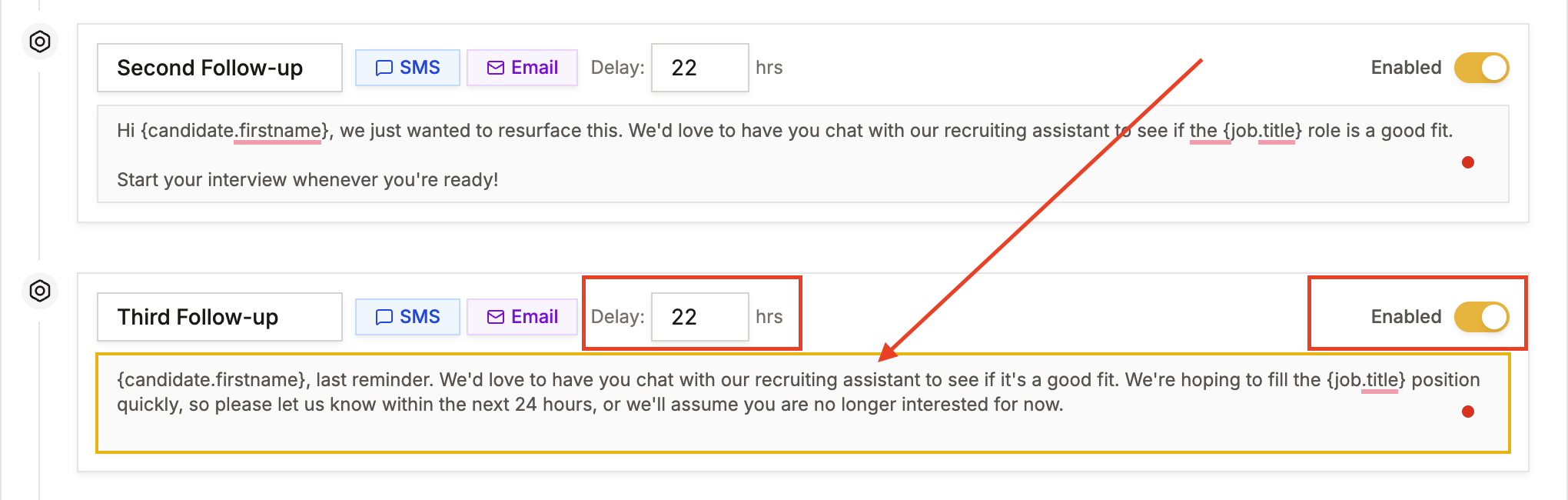
Edit each message task the same way you edit other script elements:
- Review default messaging – View the template messages already in place
- Turn off messages – Disable any follow-up reminders you don't want to send (e.g., if you only want 2 follow-ups instead of 4)
- Adjust timing – Change the time delay for when each message is sent (e.g., set first reminder to 24 hours instead of default)
- Edit message text – Modify the content of any text message or email
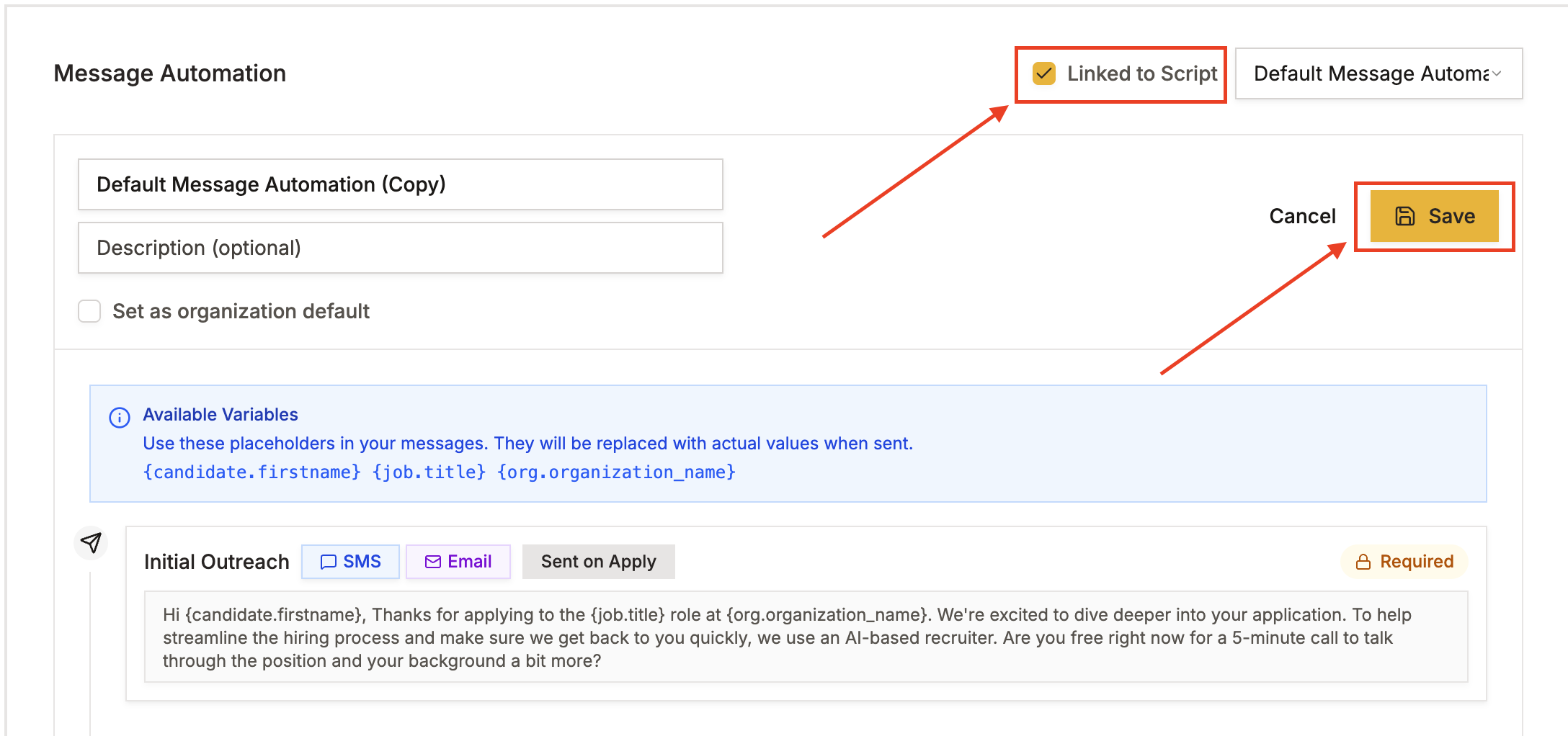
5. Save Your Campaign
- Once your messages are configured, click Links to Script at the top
- Click Save to finalize your changes
Tips for Success
- Start with the default messaging template and make adjustments as needed
- Test different timing intervals to see what works best for your candidates
- Keep messages concise and action-oriented
- Consider your candidate experience when setting the number of follow-ups
Have more questions? Contact success@classet.ai