How do I Add Qualifying Questions?
As part of the screening process, Joy can verify if a candidate meets your must-have criteria. She will ask knock-out questions and, based on the answers, will categorize candidates for your review.
Steps to Add Qualifying Questions
Navigate to the script editing page.
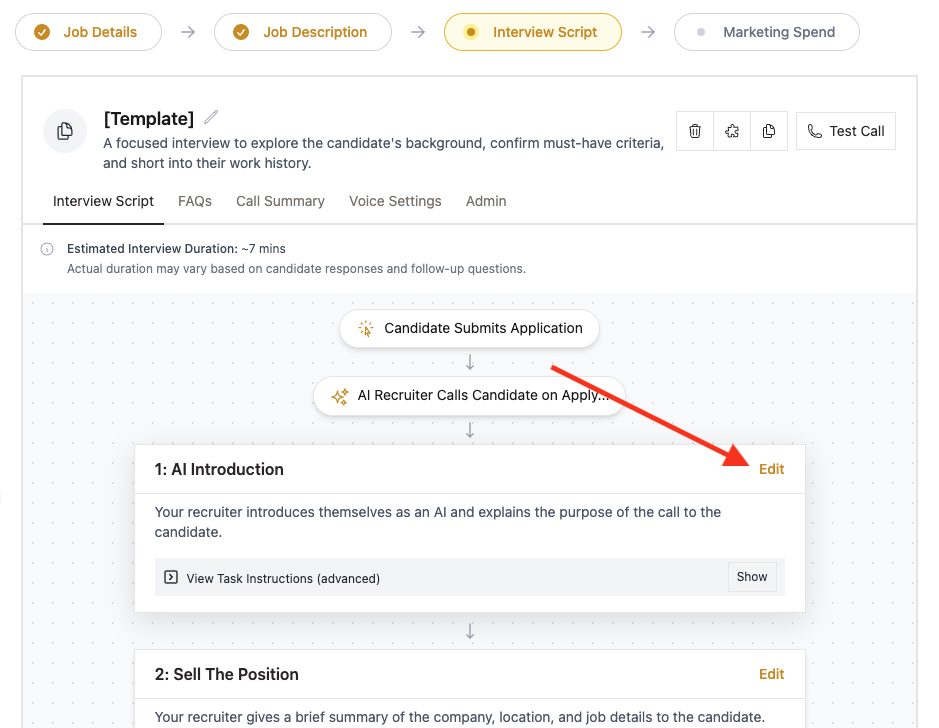
Click 'Edit' on any step of the script.
We recommend adding this task before the 'Learn the Basics about the Candidate' block.
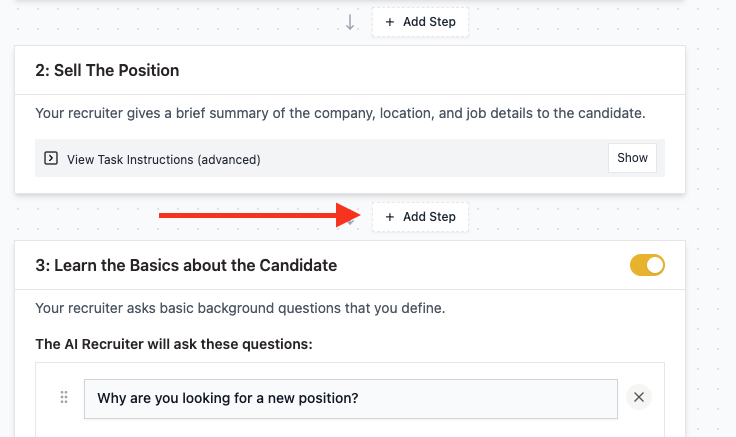
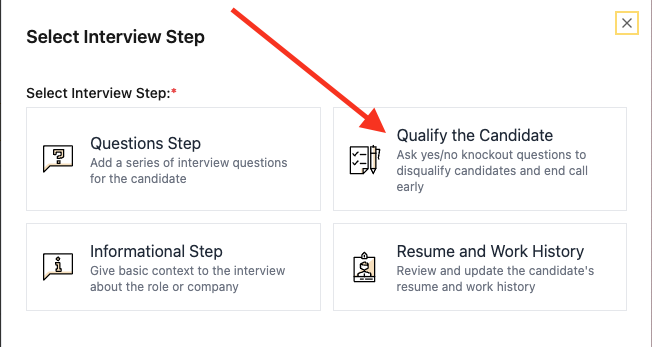
Add a new step called 'Qualify the Candidate'.
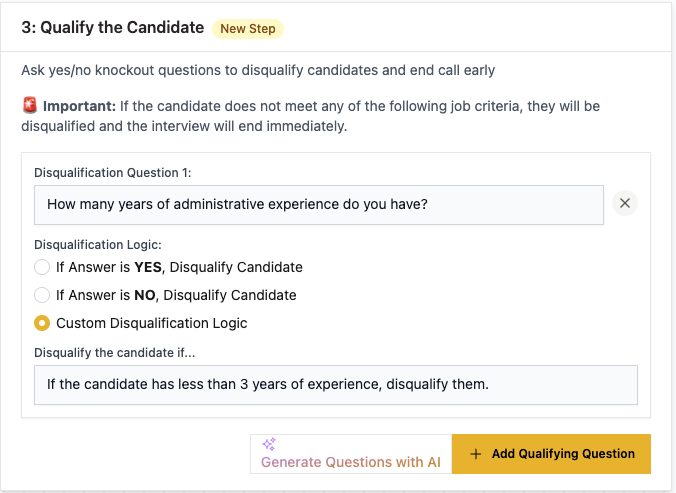
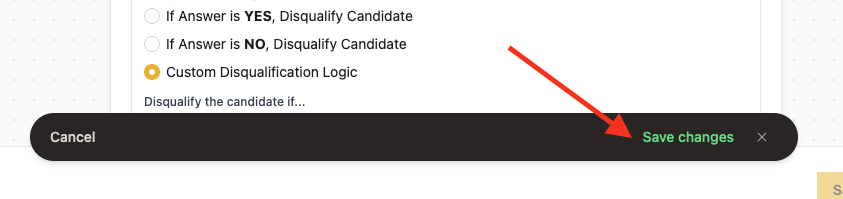
Include as many questions as you like. There are three options for disqualifying logic, so be sure to verify that it matches your question.
Finally, don't forget to click 'Save Changes' once you're done.
Can I keep the interview going if a candidate misses a requirement?
Yes. The 'Qualify the Candidate' task has two options at the top of its editor:
- End the interview (default): If a candidate does not meet a requirement, Joy tells them it is a requirement for the role and ends the interview.
- Continue Interview: If a candidate does not meet a requirement, Joy records the answer and continues with all remaining questions.
With Continue Interview, Joy does not tell the candidate that they missed a requirement. The interview completes in full. You get the candidate's full background and decide later.
How to change the option
- Open the job and click 'Edit Interview Script'.
- Find the 'Qualify the Candidate' task and click 'Edit'.
- At the top of the task editor, choose 'End the interview' or 'Continue Interview'.
- Click 'Save Changes'.
When to use Continue Interview
- You hire for several roles and might consider a candidate for a junior or different position.
- Your requirements are preferred but not strict.
- You want complete information on every candidate before you decide.
- You do not want Joy to tell candidates that they missed a requirement.
Example
Qualifying question: "Do you have a valid commercial driver's license?"
- With End the interview: A candidate who answers "No" hears that the license is required. The interview ends.
- With Continue Interview: A candidate who answers "No" continues through every remaining question. The "No" answer is recorded for your review.
Best practices
- Review the full interview for every candidate, including those who missed a requirement.
- If requirements differ a lot between role levels, create a separate script for each level.
- Tell your hiring team which roles use strict requirements and which use flexible ones.
Notes
NOTE: Try to make the wording of the questions sound natural in a real verbal conversation. Read the question out loud to check how it sounds to you.
NOTE: Break complex questions into several separate questions to give the candidate space to address each one of them.
NOTE: For the qualifying section, use questions with clear objective criteria for screening.
Have more questions? Contact success@classet.ai