How to use Classet to post on LinkedIn
Last updated: July 17, 2026
Have a position on LinkedIn and want to forward candidates to Classet for AI screening? Follow this step-by-step guide.
Make sure your job is set up on the Classet Dashboard following the standard process
Populate the basic job details
Add an interview script
Add the subscribers
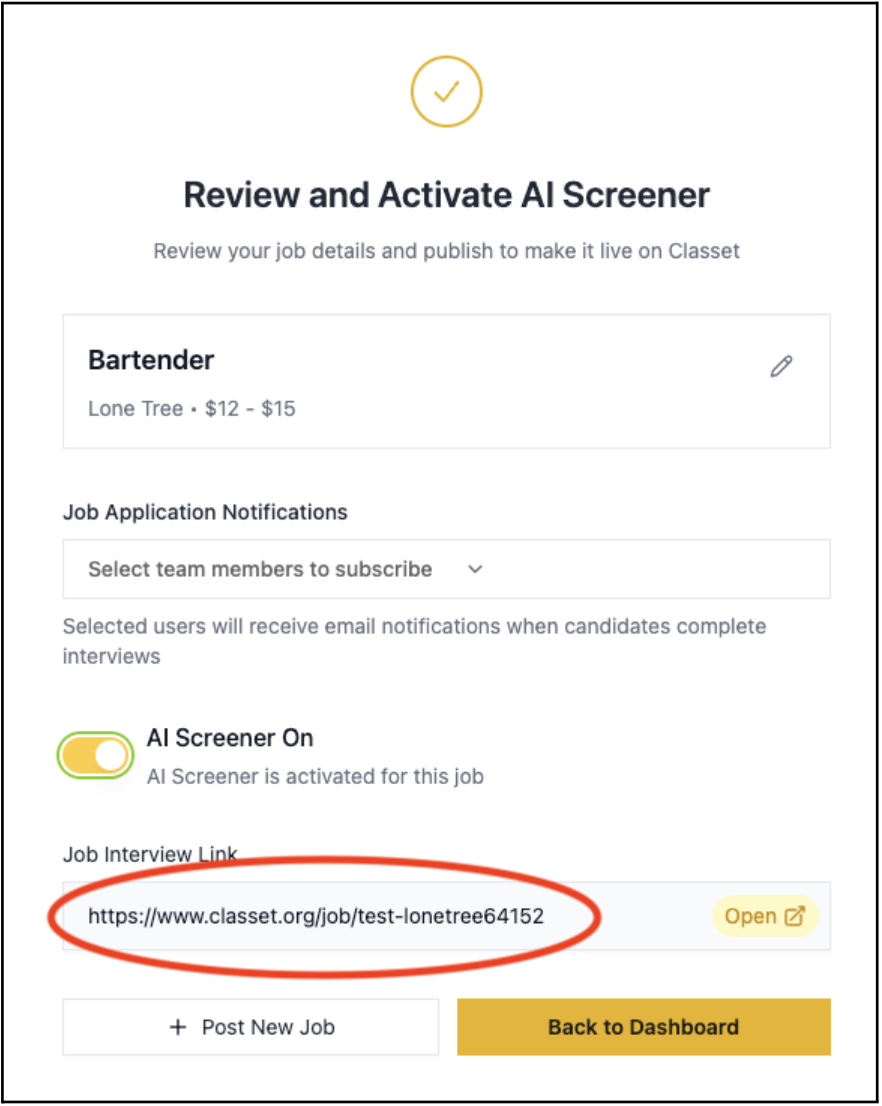
Activate the Job and Copy the job interview link
Retrieve the Job Interview Link from the Activation Page:
Add a forwarding address to the Indeed Job Post
Go to the Jobs tab on your LinkedIn Recruiter homepage and locate the job you want to modify
Click "Edit" next to the job title.
Select "Direct applicants to an external site to apply"
Choose this option under "How would you like people to apply?"
Enter the External Link from the job activation page on Classet
Save the edited job posting
Candidates will see the job on LinkedIn and automatically be routed to the instant interview page!
Have more questions? Contact success@classet.ai