Enable the AI Recruiter
Last updated: June 18, 2026
Screening candidates takes time you don't have. Joy — Classet's AI recruiter — calls applicants automatically, conducts a structured phone interview based on your script, and delivers a ranked summary so you only spend time on candidates worth talking to. Once enabled, Joy works around the clock, so your pipeline keeps moving even when your team isn't.
Why turn Joy on?
Never lose a great candidate again: The best applicants get hired within days, so every hour you wait is a candidate your competitor calls first. Joy reaches everyone the moment they apply.
Hire while you sleep: Nights, weekends, the second someone applies. Your pipeline keeps moving even when your team is off the clock.
Walk into every decision already knowing who's worth your time: Joy hands you a clean summary of each candidate's background, skills, and problem-solving, so you skip the phone tag and go straight to the yes.
Spend your time on offers, not logistics: Less scheduling, less screening, less chasing. More closing.
Fill open roles faster: Every day a position sits open costs you productivity and overtime. Joy compresses weeks of screening into the same day.
What does it look like after Joy screens a Candidate?
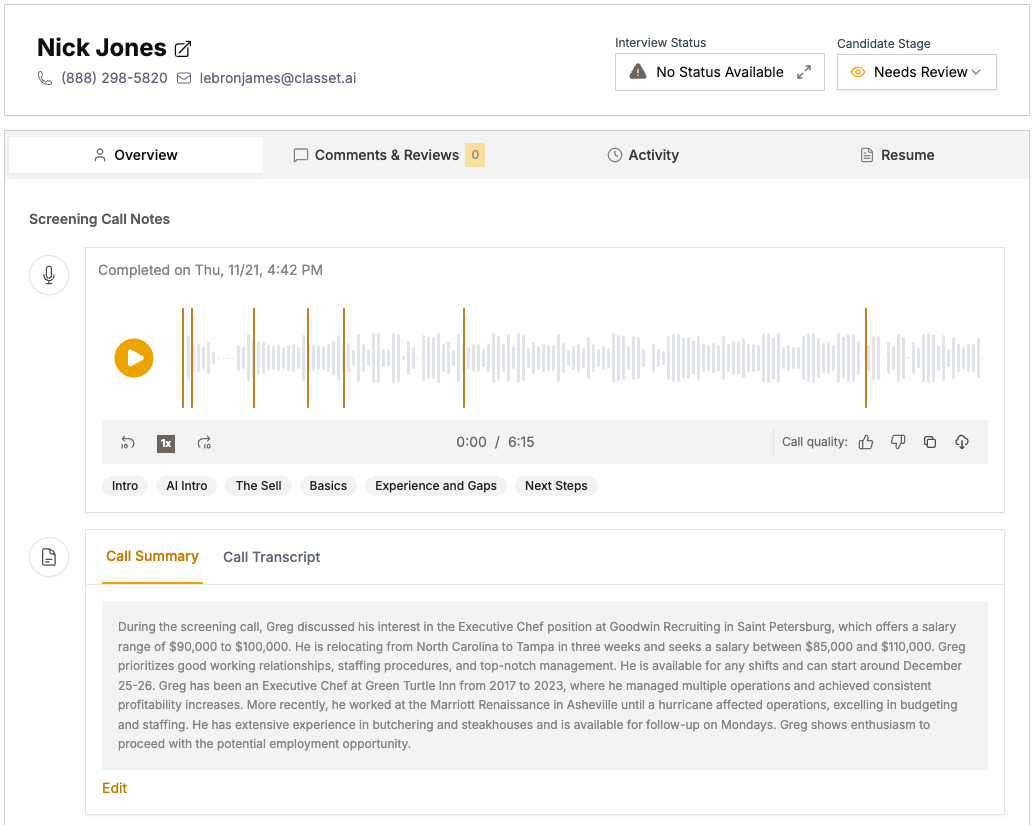
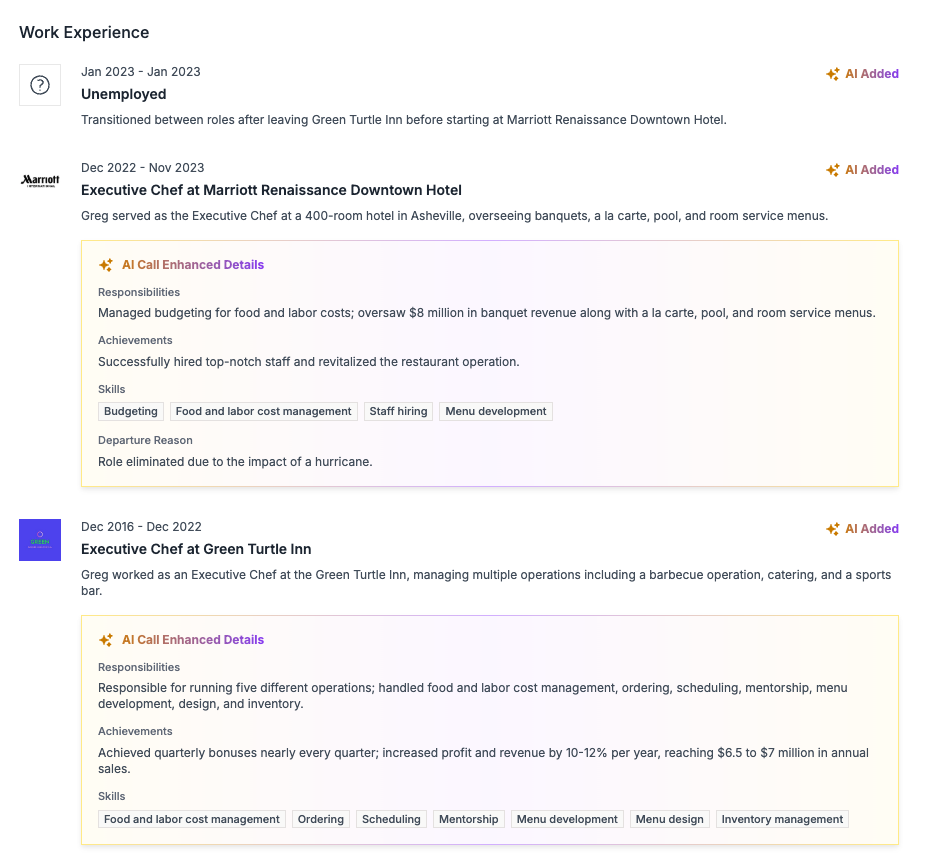
After Joy completes an interview, you'll automatically get an email notification. Simply click the link in the email, and you'll see:
Joy's summary of the candidate interview: cut right down to what is most important to decide to move them to a next step
Interview Recording: Understand exactly how the candidate answers questions and presents themselves
Full Transcript: Dig into specific examples or questions from the interview
Updated Résumé: Understand the full picture before you move forward to an interview
How to enable Joy
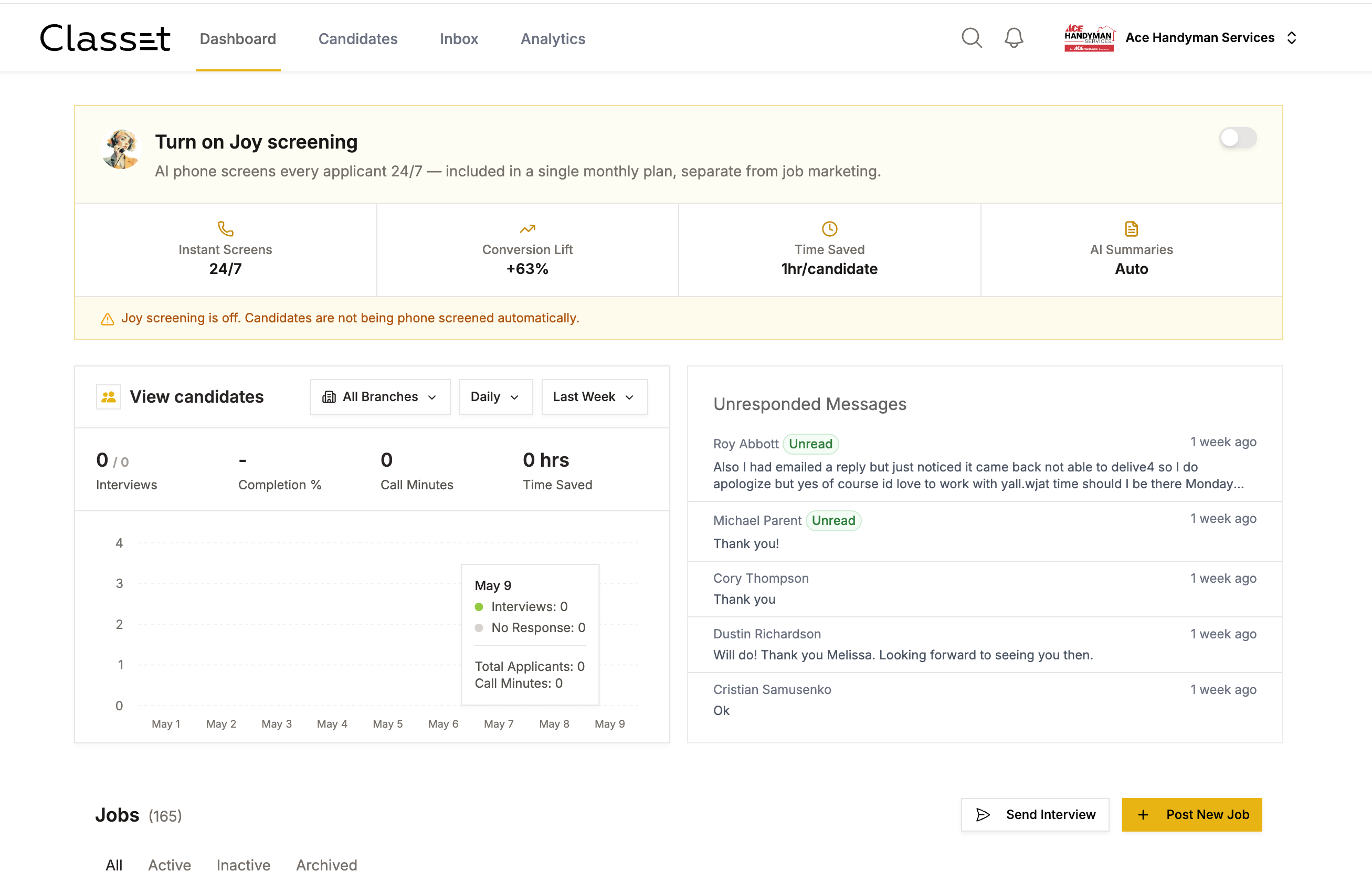
Activate your AI Recruiter Subscription on the Home Page
You'll see a banner right on your home page to activate the AI Recruiter.
Simply click the toggle switch and follow the step by step guides to enter payment information
Enabling the AI Screening is $295 per month, which includes 100 Completed Interviews
You can pause this at any time - you don't need to commit to using this tool 12 months a year. She is a recruiting assistant there to help when you need to hire, but we encourage you to turn this off when you aren't in hiring mode!
Once activated, you can turn on the AI screener for all of your positions without being charged again.
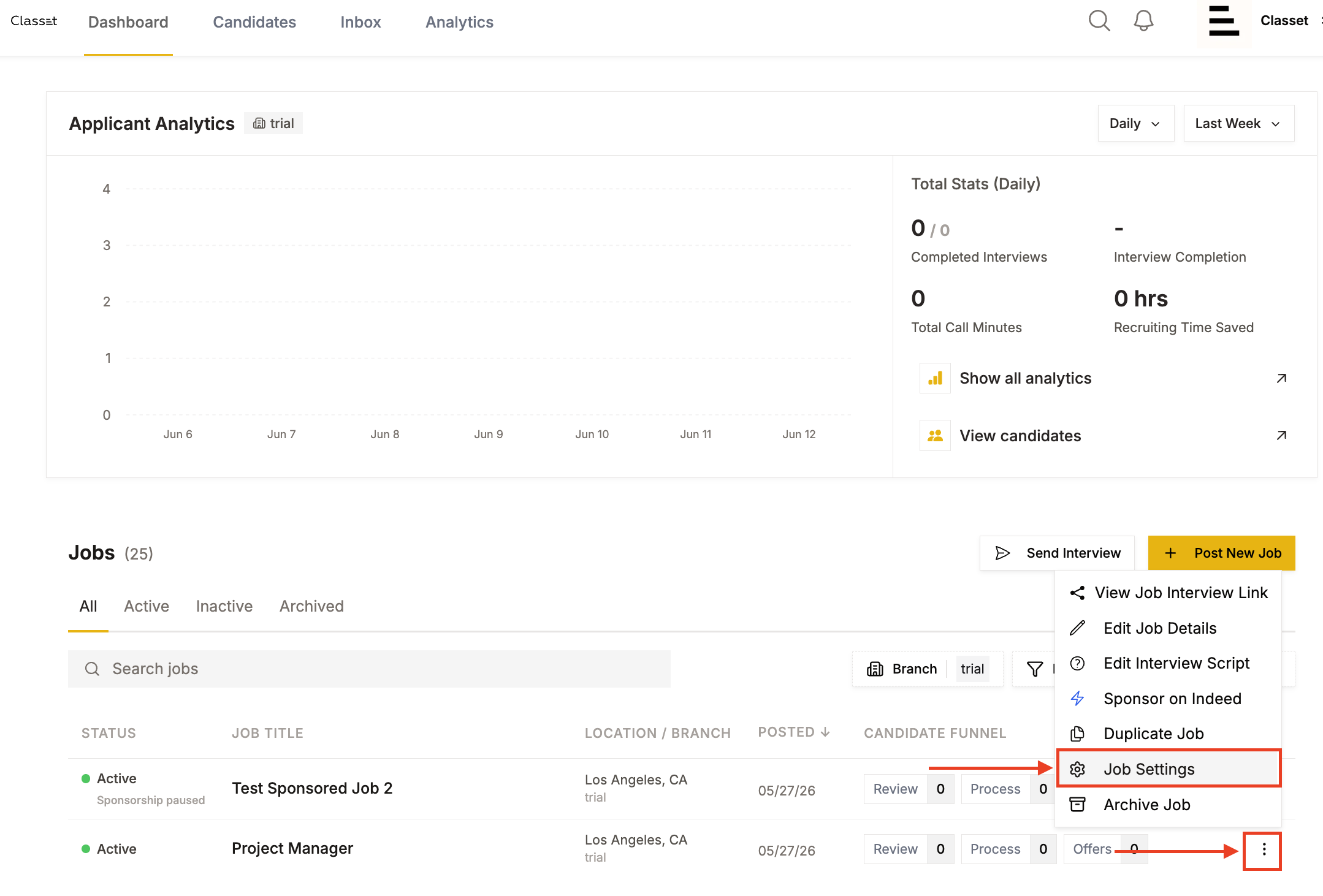
To Turn on AI Screening for An Existing Position:
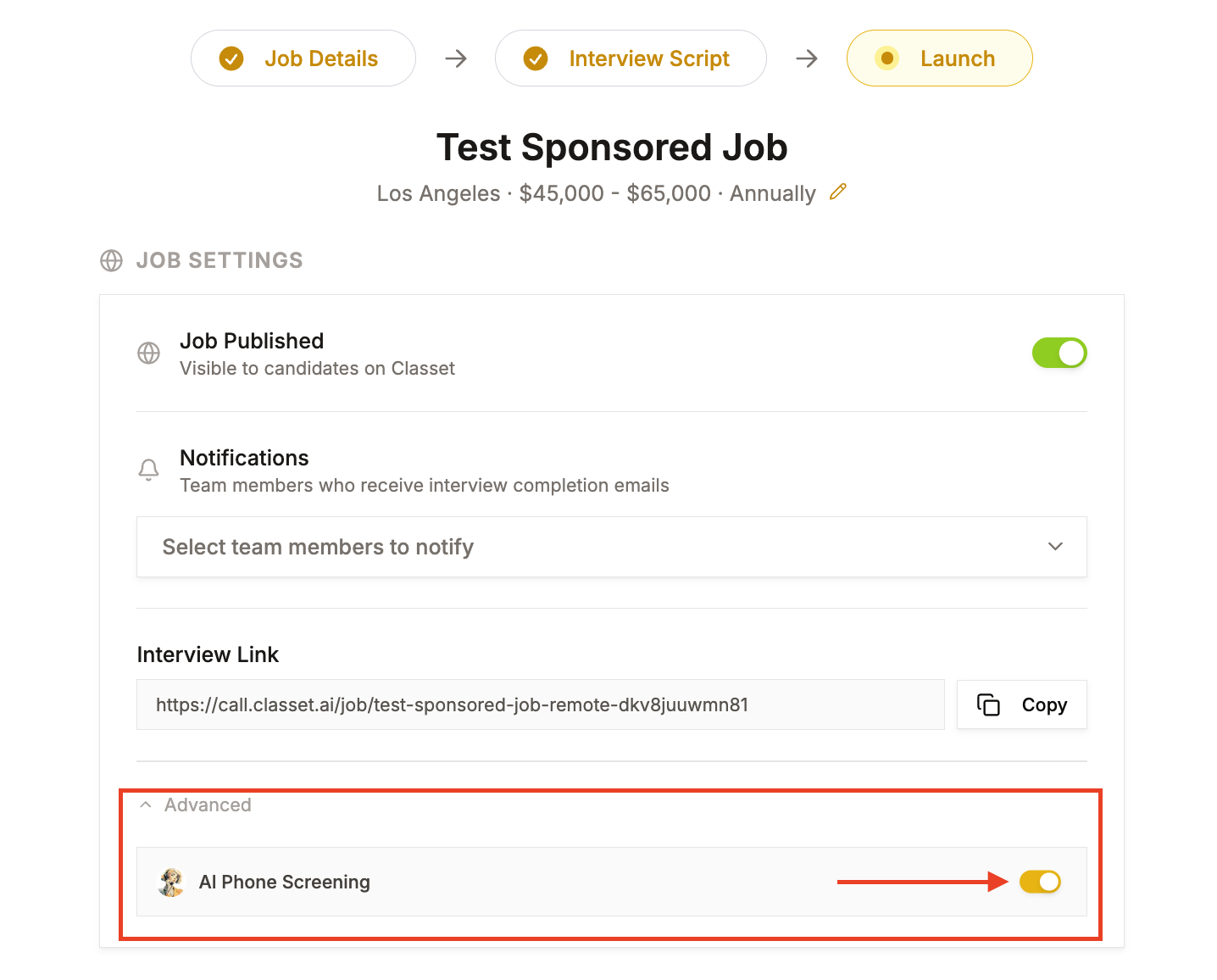
Open Job Settings. From the Dashboard, click the ⋮ (three-dot) menu next to the job and select Job Settings.
Note: If you are posting a new job, you'll have the option to activate AI screening at the final step
3. Scroll to the Advanced section at the bottom of the page.
Toggle AI Phone Screening on.
That's it — Joy will begin reaching out to new applicants automatically.
Before you go live: Make sure your interview script is set up for this position. Joy uses the script to conduct every call, so it's worth reviewing the questions before turning screening on. See How to Set Up a Script for guidance.
Tip: You can turn Joy on or off at any time from Job Settings without affecting the rest of the job posting.
Have more questions? Contact success@classet.ai