Connect Your Indeed Account
Last updated: August 7, 2026
Connecting your Indeed account allows you to sponsor jobs directly from Classet, giving your postings higher visibility on Indeed and Glassdoor. You only need to do this once during initial setup — it's not required every time you post a new job.
Steps
1. Open the Settings.
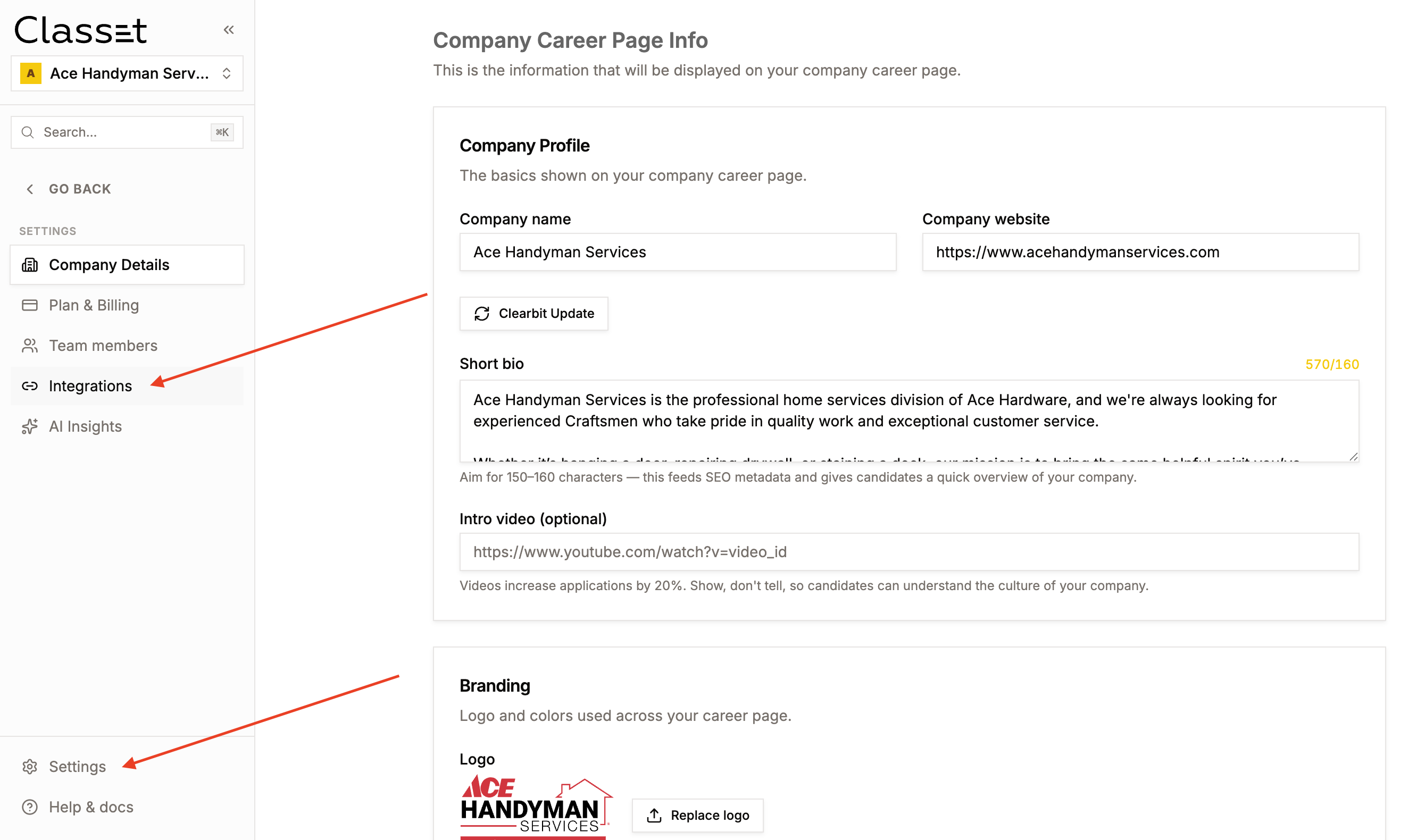
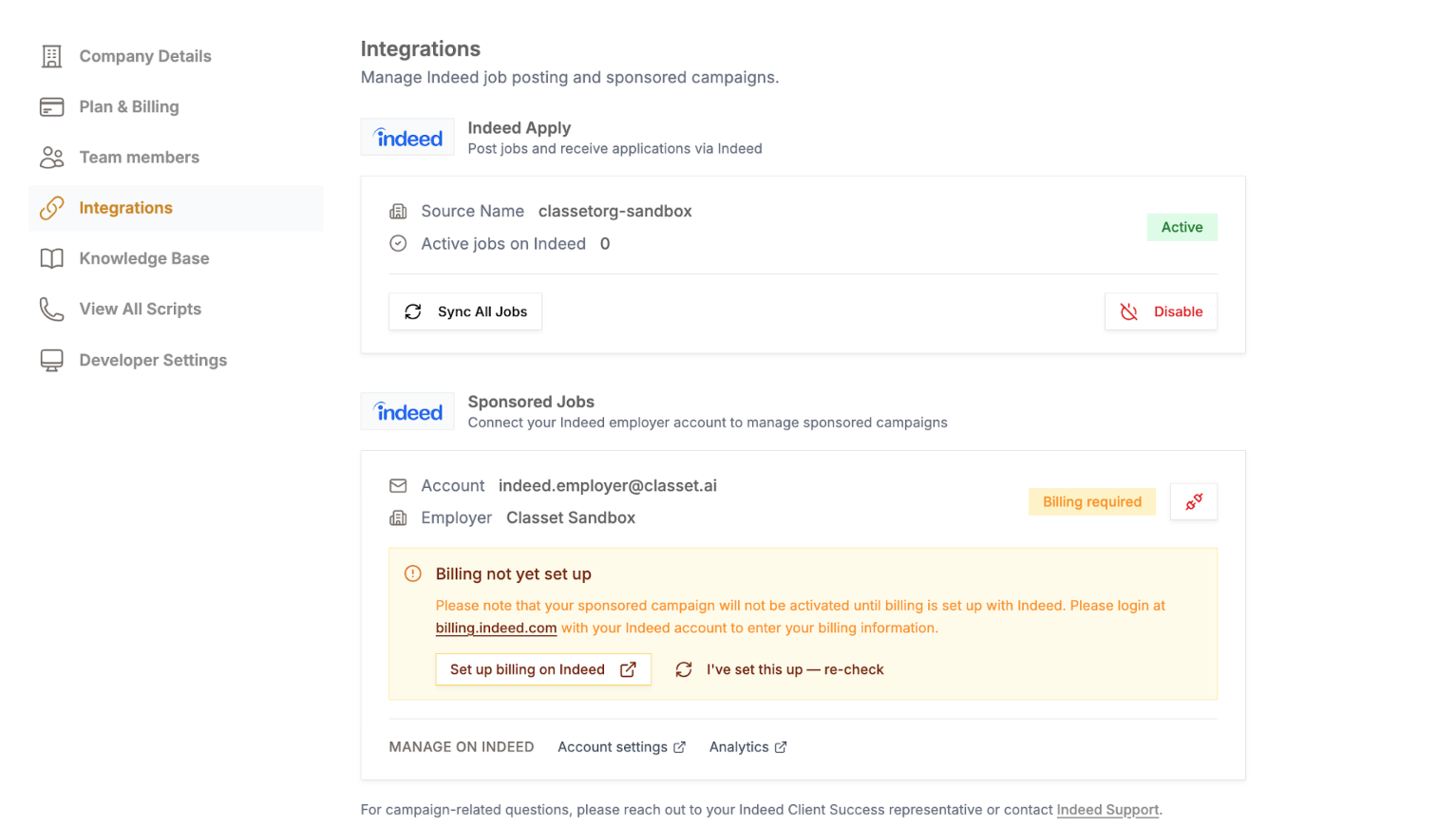
2. Go to Integrations. In the left sidebar, click Integrations.
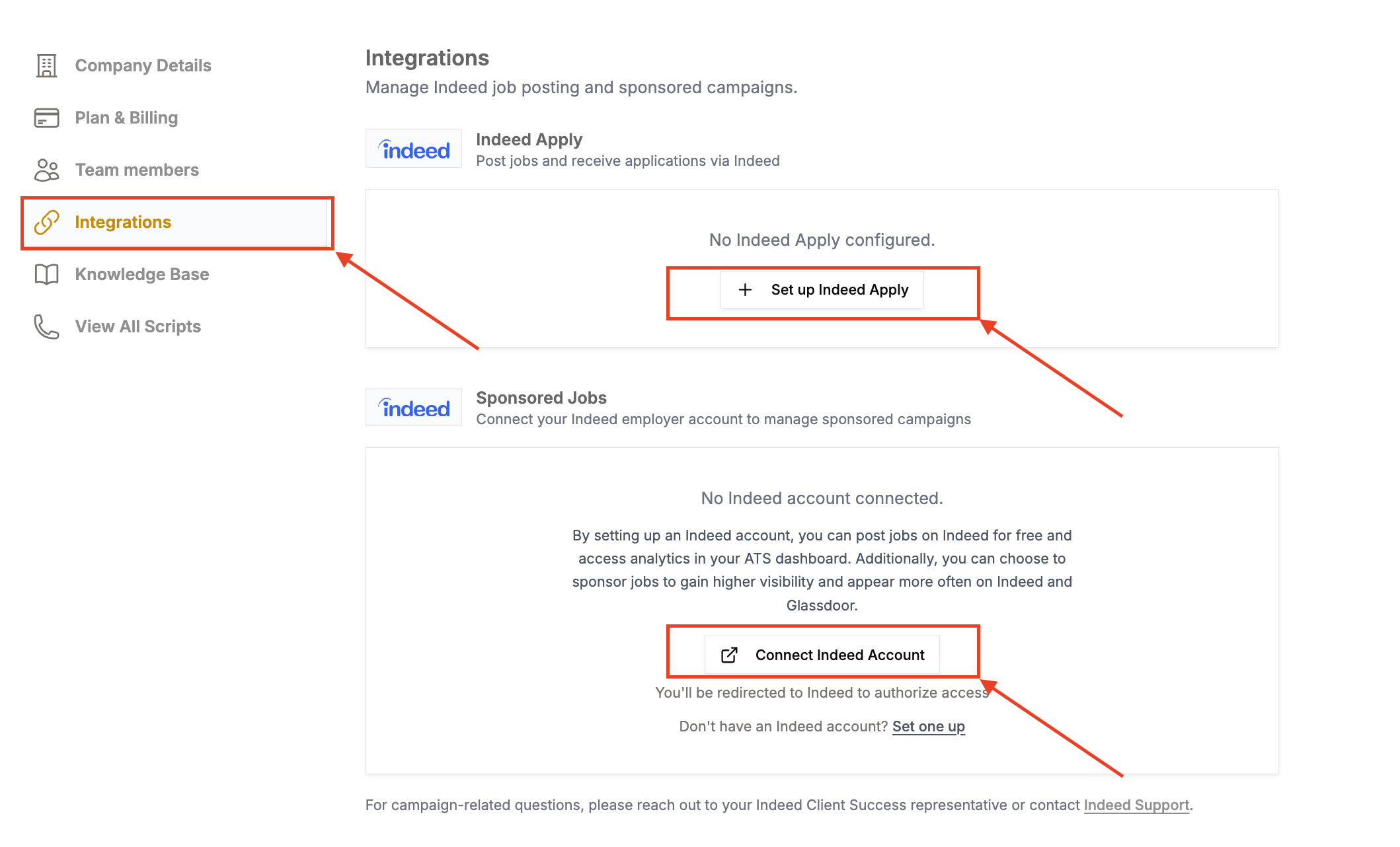
3. Connect your Indeed account. Scroll to the Sponsored Jobs section. Click Connect Indeed Account and Set up Indeed Apply.
You'll be redirected to Indeed to authorize the connection.
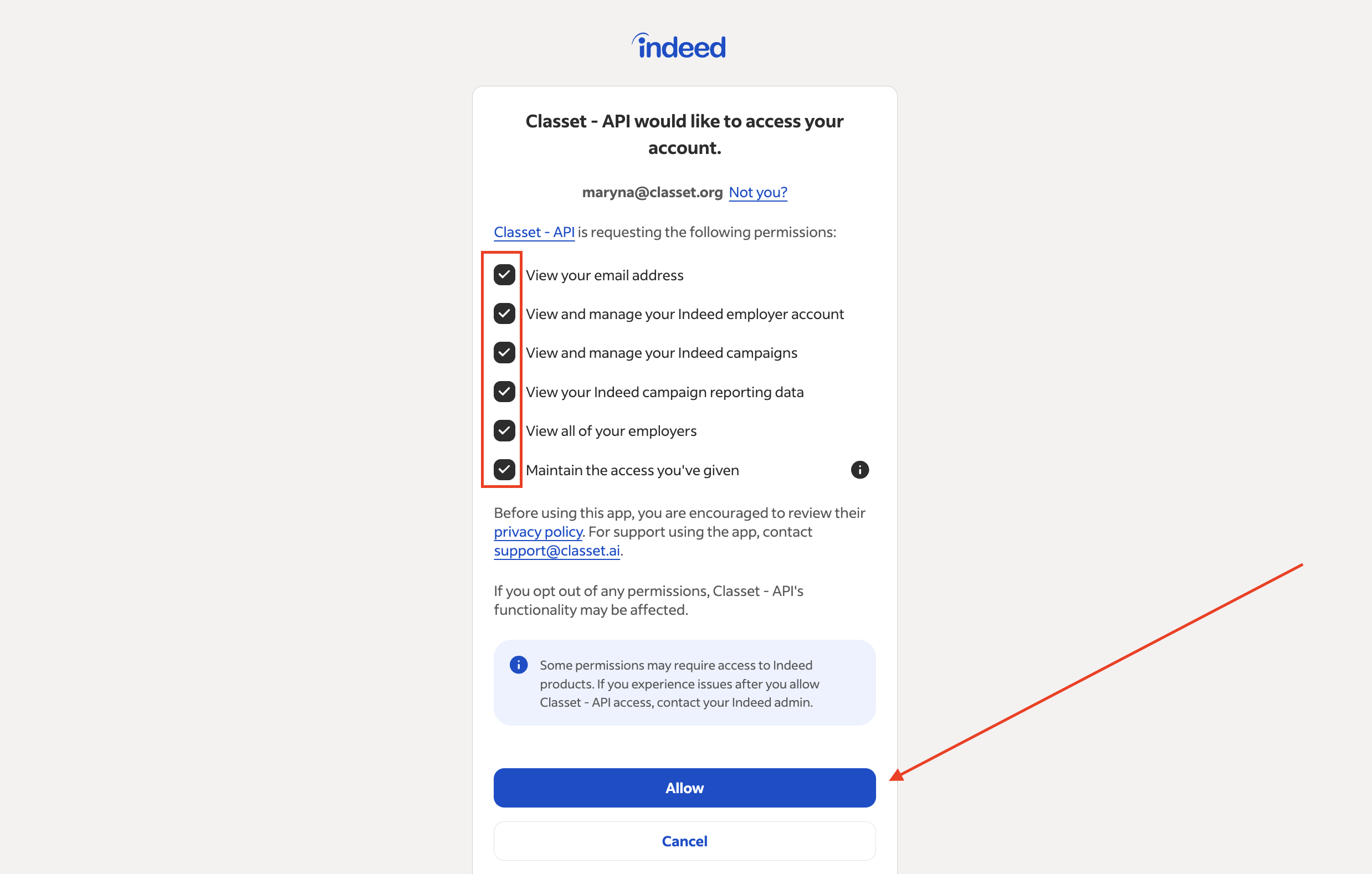
4. Grant permissions. Make sure all permission boxes are checked, then click Allow.
Note: If you don't have an Indeed account, click Set one up on the Integrations page — this lets you create a new Indeed employer account without leaving Classet.
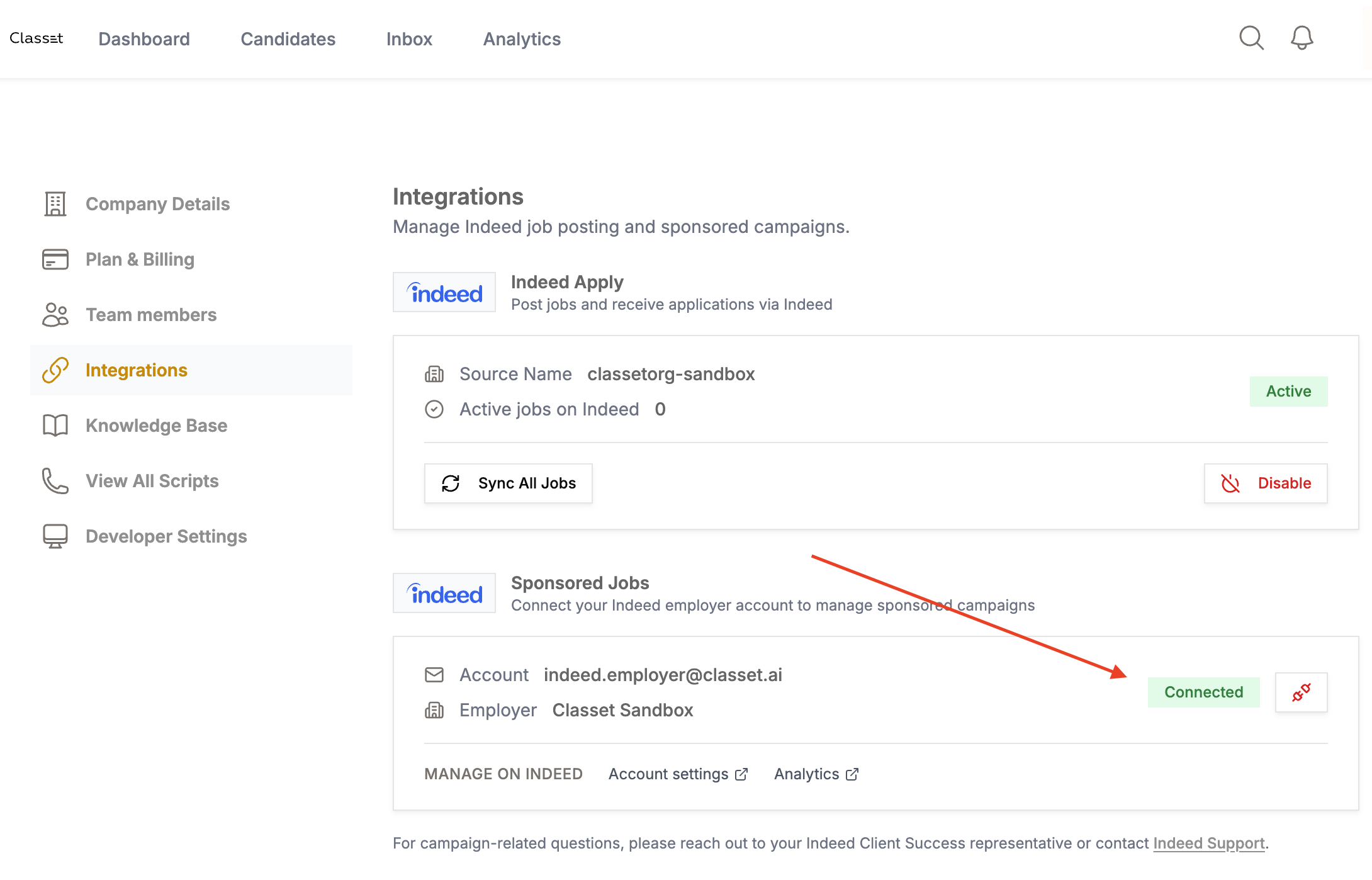
5. Confirm the connection. You'll be returned to Classet. The Sponsored Jobs section will show your account email and a Connected status.
Note: Users are unable to sponsor jobs until billing in Indeed is set up. If not setup, you will see a warning and link to set up billing on Indeed.
Have more questions? Contact success@classet.ai