Best Practices for Managing your Candidates on Classet
Last updated: June 18, 2026
If you only remember one thing about hiring, it should be this: SPEED is your best friend to make quality hires. There are 10 other companies who want the same talent. Every day you wait, your chances of making a hire decrease by 50%.
Using Classet makes it extremely simple to keep your process moving without hiring becoming a fire drill. Here are the recommended best practices for being a Top 1% Hiring Company
Use the AI Recruiter.
No matter how fast you think you can be with responding to candidates, you have to eat, sleep, and hopefully take some time off as well.
An AI agent does not. Over 60% of applications come in after working hours or on weekends - especially within the skilled trades.
When you use the AI recruiter, you can guarantee that you are always the first touchpoint with a candidate on the market.
Reminder on how Joy works:
1 - Candidate applies (EG; 8 PM on a Friday night)
2 - Receives a text message within minutes inviting candidate to interview
3 - Joy will answer questions and follow up until she is able to get them on the phone (5x)
4 - Joy will run your initial interview
5 - Sends you notes, a recording, and updated resumé
After Joy delivers a candidate to you (or if you don't want to use the AI recruiter) - here is what you should do next
Lean into Text First
Everyone gets spam calls, and everyone hates phone tag.
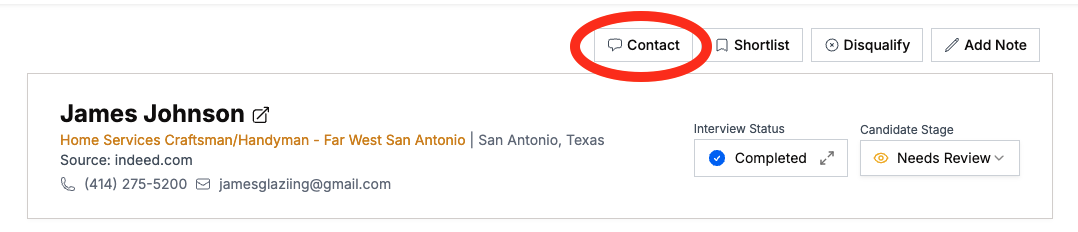
Use the built-in texting feature by clicking 'Contact' to get the conversation started:
To simplify - you can also set up Message Templates
Our recommended template:
Hi [candidateName] - I received your interview for our open [jobTitle] role, and would love to speak with you ASAP as I think you would be a great fit! Can you give me a call at XXX-XXX-XXXX as soon as you are free for a few minutes to talk about next steps? Thanks!
Feel free to copy/paste this and add it in. Just replace with your phone number!
Important note: You do not need to insert your name into the message. Our system will automatically sign off with your name and company at the end of the message.
This puts the ball in the candidate's court to give you a call
If you don't hear back in 1 day -- move to step 3.
Pick up the phone
The candidate's phone number is right on the top lefthand corner of their profile
For great candidates -- take the same mentality you would with a customer lead. Every hour of delay is higher probability you won't close
Use Classet Tools to Stay Organized across Your Team
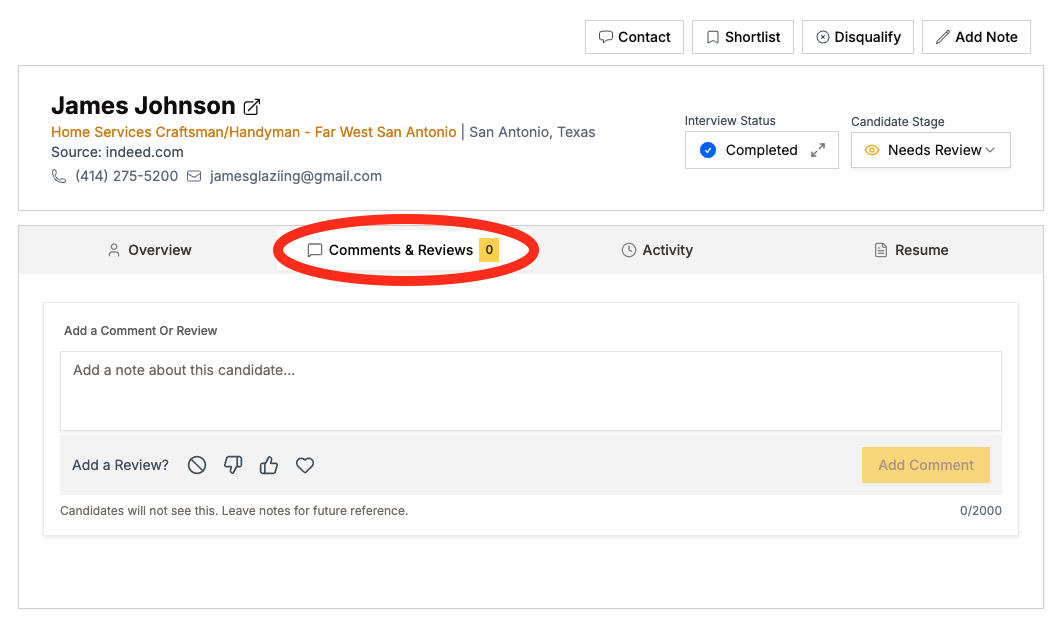
Add any notes from your conversations into the 'Comments & Reviews' section.
This is going to make it easier to pick up where you left off
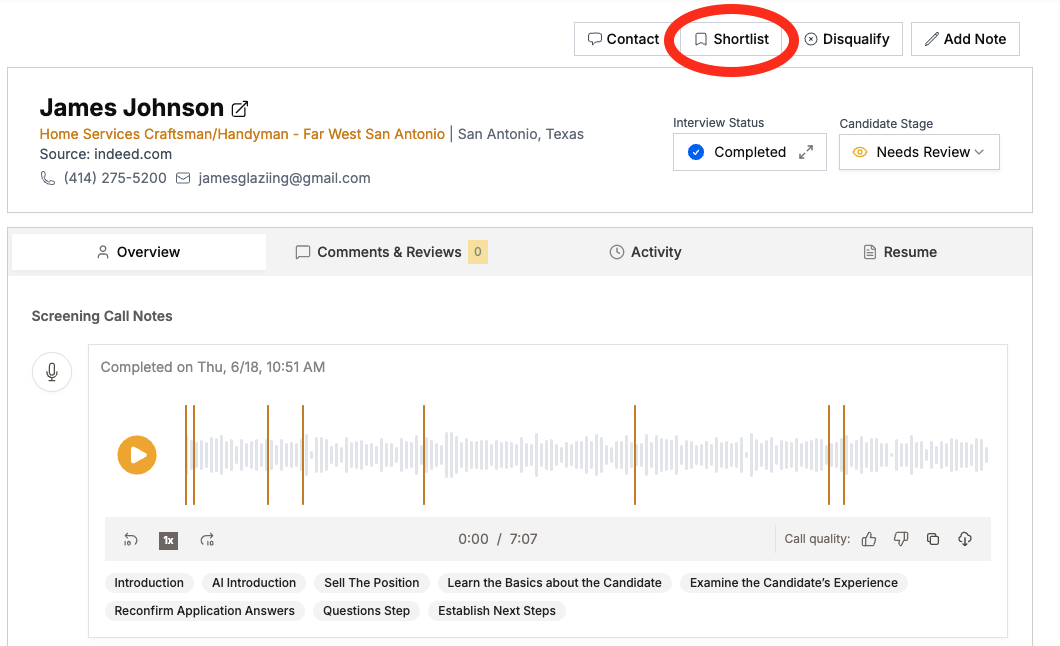
Use 'Shortlist' to keep tabs on your top candidates:
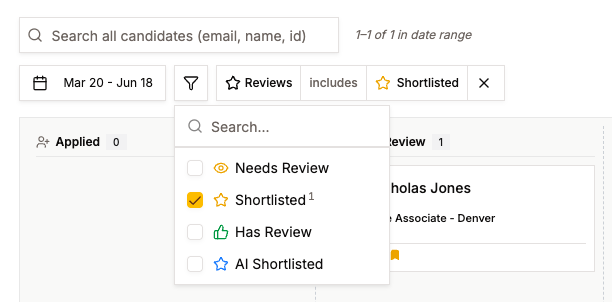
This will also allow you to filter by 'Shortlist' status to keep eyes on your top candidates:
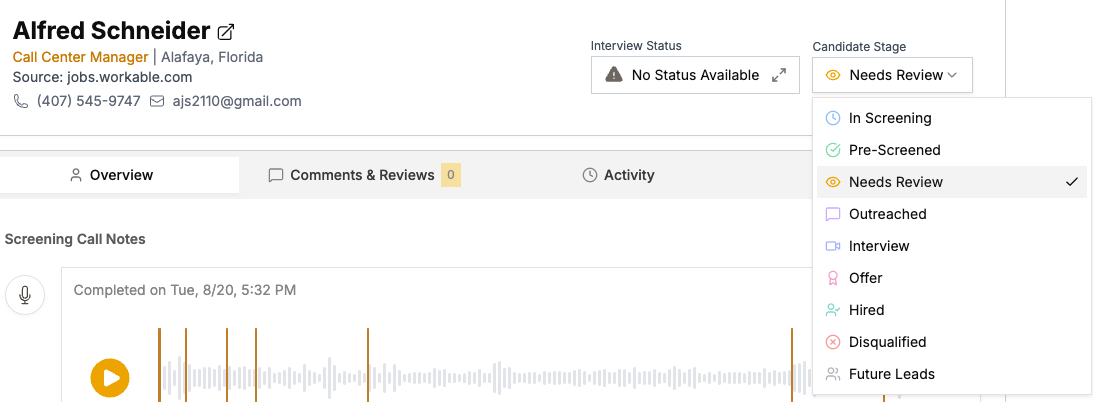
Update Candidate's Statuses to keep yourself organized
After you talk to candidates for an interview, extend an offer, or disqualify - keep them up top date in the system by updating their status
Have more questions? Contact success@classet.ai